Bridging Polygon to Harmony
 by
by 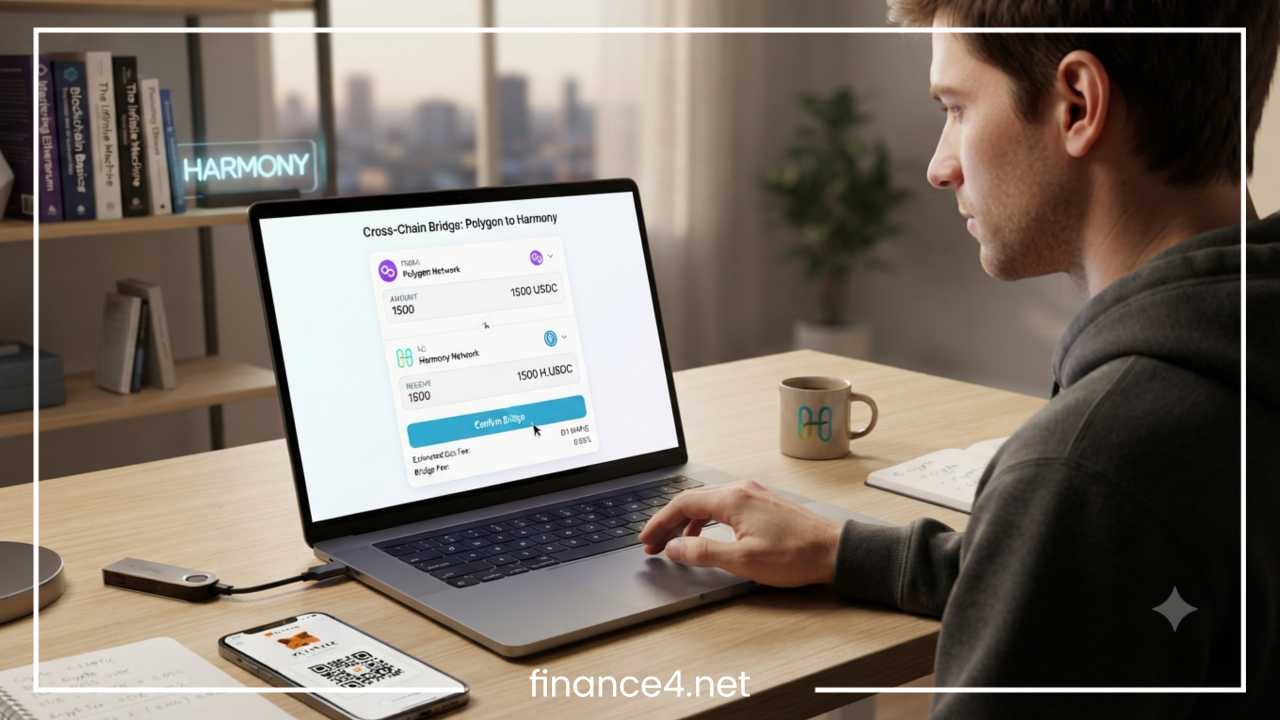
Bridging Polygon to Harmony: A Step-by-Step Guide
Cross-chain interoperability has become an essential pillar of the modern decentralized finance landscape. As the blockchain ecosystem expands into a multi-chain reality, users and developers no longer want to be confined to a single network. Instead, they demand the freedom to move capital seamlessly across different execution environments to capture yields, utilize unique decentralized applications, and optimize their transactional workflows.
Polygon has firmly established itself as a premier Ethereum scaling network, offering low transaction fees and a massive decentralized finance ecosystem that houses protocols like Aave, QuickSwap, Uniswap, and Curve. On the other hand, the Harmony blockchain provides an innovative Layer-1 infrastructure characterized by rapid transaction finality, highly affordable gas fees, and strong support for gaming, decentralized finance, non-fungible tokens, and cross-chain applications.
Moving assets between these distinct ecosystems often presents a challenge for participants who want to access the best of both worlds without liquidating their holdings. This is where cross-chain bridges come into play. A bridge allows users to transfer assets from one blockchain to another without selling them for fiat currency or native coins, preserving their market exposure while changing their network environment.
Throughout this comprehensive guide, readers will learn the fundamentals of both Polygon and Harmony, the underlying mechanics of cross-chain bridges, the preparation required before initiating a transfer, how to choose the right bridging protocol, a step-by-step walkthrough of the bridging process, associated fee structures, troubleshooting common errors, security best practices, and the various activities available on the Harmony network once the transfer is complete.
Understanding Polygon and Harmony
What is Polygon?
Polygon is a well-known scaling framework and Layer-2 network designed to build and connect Ethereum-compatible blockchain networks. By addressing scalability limitations associated with the Ethereum mainnet, Polygon provides high throughput alongside significantly reduced gas fees. Its Proof-of-Stake consensus architecture secures transactions efficiently while maintaining strong cryptographic guarantees tied back to Ethereum.
The Polygon ecosystem boasts a robust array of decentralized applications. Users frequently interact with liquidity pools, lending markets, and automated market makers deployed across the network. Because transaction costs remain low even during periods of heavy network congestion, retail traders and institutional participants alike utilize Polygon for high-frequency trading, yield farming, and minting digital assets.
What is Harmony?
Harmony is an open and fast Layer-1 blockchain designed with a focus on high throughput, low latency, and secure cross-chain bridges. At its core, Harmony utilizes an Effective Proof of Stake consensus mechanism, which introduces staking validation with sharding to scale processing capabilities. One of Harmony’s standout technical achievements is its two-second transaction finality, meaning transactions are confirmed almost instantaneously.
Beyond its raw speed, Harmony has cultivated a vibrant community centered around gaming, decentralized finance, non-fungible tokens, and cross-chain support. Its negligible transaction costs make it an ideal environment for micro-transactions, interactive gaming applications, and complex decentralized finance strategies that would otherwise be cost-prohibitive on slower or more expensive networks.
Why Bridge from Polygon to Harmony?
Decentralized finance participants frequently reallocate their capital across different networks to optimize their portfolios. Moving assets from Polygon to Harmony offers several distinct practical advantages.
Lower Fees
While Polygon already offers economical gas fees compared to the Ethereum base layer, Harmony pushes cost efficiency even further. Transaction fees on Harmony are often a fraction of a cent, making it exceptionally economical for frequent strategy rebalancing, compounding rewards, and executing multiple micro-transactions.
Diversifying Assets
Participants often seek exposure to Harmony-native projects, specialized tokens, and localized liquidity pools that are unavailable on Polygon. Bridging assets allows users to diversify their digital portfolios across multiple high-performance networks rather than concentrating all capital in a single ecosystem.
Access to Harmony dApps
Harmony features a diverse selection of decentralized applications spanning decentralized exchanges, lending markets, and specialized non-fungible token marketplaces. Bridging tokens to Harmony grants direct access to these platforms, allowing users to interact with innovative protocols built specifically for the Harmony environment.
Cross-Chain Investing
Yield opportunities fluctuate constantly across the decentralized finance landscape. When attractive yield farming opportunities, staking rewards, or liquidity mining incentives emerge on Harmony, participants need an efficient way to move their liquidity swiftly from Polygon to capture those yields.
Faster Transactions
With two-second finality, Harmony delivers an exceptionally responsive user experience. Waiting for block confirmations becomes virtually unnoticeable, contrasting sharply with networks that require extended block times for final settlement.
How Cross-Chain Bridges Work
Understanding the underlying mechanics of cross-chain bridges helps users navigate the transfer process with confidence. Because different blockchains operate on independent consensus rules and cannot inherently communicate with one another, bridges act as the cryptographic and programmatic connective tissue between them.
The two most common architectural models utilized by bridges are the lock-and-mint model and the burn-and-release model.
In a lock-and-mint bridge, the user initiates a transaction on the source chain—in this case, Polygon—depositing their native tokens into a secure smart contract. Once the transaction is confirmed and validated by the bridge’s verification network, an equivalent amount of wrapped or synthetic tokens is minted on the destination chain, Harmony. The original tokens remain securely locked in the smart contract on Polygon for the duration of their time on Harmony. When the user wishes to return their assets to Polygon, the process is reversed: the wrapped tokens on Harmony are burned, and the original tokens are unlocked and released back to the user on Polygon.
In a burn-and-release architecture, native assets on the source chain are burned, triggering a validator network to release pre-existing native assets from a liquidity pool on the destination chain.
Underpinning these mechanisms are several critical components:
-
Smart contracts that programmatically handle deposits, locking, minting, and burning without requiring human intermediaries.
-
Decentralized validator networks or multi-signature relayers that monitor events on the source chain and attest to their validity before releasing or minting assets on the destination chain.
-
Wrapped assets, which represent the original tokens on the foreign network and maintain a one-to-one peg.
-
Liquidity pools managed by protocols to facilitate smooth swaps and transfers across chains.
Things You’ll Need Before Bridging
Before initiating any cross-chain transfer, proper preparation ensures a smooth and error-free experience. Gathering the necessary tools and tokens ahead of time prevents transactions from failing midway or getting stuck due to insufficient funds.
MetaMask Wallet
A non-custodial Web3 wallet such as MetaMask is essential for interacting with decentralized applications and signing bridge transactions. Ensure your wallet is installed, backed up securely with your seed phrase stored offline, and unlocked.
Polygon Network Added
Your wallet must be configured to connect to the Polygon network. This includes having the correct Remote Procedure Call URL, chain ID, and network symbol configured within your wallet settings so you can view and manage your Polygon assets.
Harmony Network Added
Similarly, your wallet must have the Harmony network added. Since you will be receiving assets on Harmony, your wallet needs to be able to switch to the Harmony network to display your newly arrived tokens correctly.
MATIC for Gas
Polygon requires its native token, MATIC, to pay for transaction gas fees. Even if you are bridging USDC, USDT, or another token away from Polygon, you must have a small amount of MATIC in your wallet to cover the cost of the smart contract approval and the bridge initiation transaction.
ONE Tokens for Future Transactions
Once your assets arrive on Harmony, you will need the native Harmony token, ONE, to pay for gas fees when interacting with Harmony decentralized applications. Acquiring a small amount of ONE beforehand or ensuring your bridge destination includes a gas-drop feature is vital.
Stable Internet Connection
Cross-chain transfers involve communicating with decentralized smart contracts across multiple networks simultaneously. A stable, uninterrupted internet connection prevents signing errors and dropped network requests.
Supported Bridge
Select a reputable and audited cross-chain bridge that officially supports the route from Polygon to Harmony for the specific token you intend to transfer.
Choosing the Right Bridge
Selecting the correct bridge is a critical decision that impacts security, transfer speed, and cost. Not all bridges support every token, and their underlying architectures carry varying degrees of smart contract risk.
| Bridge Protocol | Supports Polygon | Supports Harmony | Key Characteristics |
| Synapse | Yes | Yes | Highly popular cross-chain liquidity network with broad asset support |
| Multichain | Historical Support | Status Varies | Legacy bridge infrastructure with historical integration |
| LayerZero-Based Bridges | Protocol Dependent | Modern Option | Advanced messaging protocol facilitating cross-chain communication |
| Router Protocol | Cross-Chain Support | Worth Checking | Aggregator designed for optimized multi-chain routing and transfers |
When evaluating any bridge protocol, consider the following factors:
-
Security: Review whether the bridge has undergone multiple independent smart contract audits and whether it relies on a decentralized validator set or centralized multisig signers.
-
Fees: Analyze both the gas costs on the source chain and any protocol-level bridge fees charged for executing the cross-chain transfer.
-
Speed: Check the average confirmation time required by the bridge to release funds on the destination network.
-
Supported Assets: Never assume every bridge supports every token. Always verify that your specific token is explicitly supported for the Polygon-to-Harmony route.
-
Liquidity: Bridges with deep liquidity pools prevent excessive slippage and ensure large transfers can be processed smoothly.
-
Reputation: Research community feedback and track records to ensure the bridge has a history of reliable operations.
Step-by-Step: Bridge Polygon to Harmony
This core section walks through the exact procedure required to move assets safely from Polygon to Harmony. Follow these numbered steps carefully.
Step 1: Connect Wallet
Open your web browser and navigate to the official, verified website of your chosen bridge protocol. Locate the connect wallet button, typically found in the top right corner of the interface. Select your wallet provider, such as MetaMask, and approve the connection request in the wallet pop-up window. Verify that your wallet is connected to the Polygon network before proceeding.
Step 2: Choose Source Network
Locate the source network selection dropdown menu on the bridge interface. Set the source network to Polygon. This informs the bridge interface that your funds will originate from the Polygon blockchain environment.
Step 3: Choose Destination Network
Locate the destination network selection dropdown menu. Set the destination network to Harmony. This designates Harmony as the target chain where your bridged assets will be minted or released.
Step 4: Select Token
Choose the specific cryptocurrency or token you wish to bridge. Common supported assets include stablecoins like USDC and USDT, as well as blue-chip assets like wrapped Ethereum and wrapped Bitcoin. Ensure that the token you select matches the balance available in your Polygon wallet.
Step 5: Enter Amount
Input the exact amount of the selected token you want to transfer. Pay close attention to any minimum transfer limits enforced by the bridge protocol, as attempting to bridge an amount below the minimum can result in delayed or stuck transactions. Additionally, check if there are maximum limits per transaction.
Step 6: Review Fees
Examine the fee breakdown provided by the bridge interface prior to confirmation. This summary typically displays the estimated Polygon gas fee required to execute the transaction, any protocol bridge fees, and potential slippage or liquidity fees. Ensure you are comfortable with the total cost before moving forward.
Step 7: Approve Token
If this is your first time interacting with the bridge contract using this specific token, you will be required to sign an ERC-20 token approval transaction. This grants the bridge smart contract permission to interact with your token balance. Confirm the approval transaction in your wallet and wait for it to be mined on the Polygon network. This step incurs a minor gas fee in MATIC.
Step 8: Confirm Transaction
Once the token approval is successfully processed, click the bridge or transfer button on the interface. A new wallet prompt will appear asking you to confirm the main transfer transaction. Review the details and submit the transaction. The bridge contract will lock your tokens on Polygon and initiate the cross-chain messaging process.
Step 9: Receive Funds
Wait for the bridge protocol validators to verify the transaction on Polygon and relay the proof to the Harmony network. Depending on network congestion and the specific bridge architecture, this process can take anywhere from a few minutes to a short while. Avoid closing your browser tab until the transaction is successfully completed.
Step 10: Verify Balance
Once the bridge interface indicates that the transfer is complete, switch your wallet network from Polygon to Harmony. Check your asset balances. If the tokens do not appear immediately, you may need to manually import the token contract address into your wallet on the Harmony network to view your newly bridged funds.
Fees Involved
Executing a cross-chain transfer involves multiple cost components. Understanding these fees helps participants accurately budget their transactions and avoid running out of funds mid-process.
-
Polygon Gas Fee: Paid in MATIC, this fee covers the cost of executing the smart contract interaction and locking your tokens on the Polygon network.
-
Bridge Fee: A service fee charged by the bridge protocol to cover validator operational costs and cross-chain messaging overhead.
-
Validator Fee: In some architectures, a portion of the fee goes directly to the decentralized validators attesting to the cross-chain transfer.
-
Destination Gas Fee: The cost associated with minting or releasing the tokens on the Harmony network. Many modern bridges bundle this or require a tiny amount of native gas.
-
Swap Fee: If the bridge automatically swaps your asset for an intermediate token during the transfer process, a decentralized exchange swap fee may apply.
Fees fluctuate dynamically based on network congestion, gas price volatility, and the specific routing path utilized by the bridge protocol.
Common Problems and Solutions
Even with careful preparation, users occasionally encounter technical hurdles during cross-chain transfers. Here are common problems and their respective solutions.
Transaction Stuck
Possible causes usually stem from sudden network congestion on the source chain or delayed validator relaying. If a transaction remains pending for an extended period, check the transaction hash on a block explorer to see if it failed or is still awaiting block confirmations. If it is stuck due to low gas, you may need to speed up or replace the transaction using your wallet interface.
Wallet Not Connecting
If your wallet fails to connect to the bridge interface, try refreshing your browser, clearing your browser cache, or restarting your browser extension. Ensure that your wallet is unlocked and that you are not running conflicting multiple wallet extensions simultaneously.
Tokens Not Appearing
If your bridge transfer shows as successful but your funds do not appear in your wallet, the most common solution is to manually import the token contract address while connected to the Harmony network. Verify the official token contract address from a trusted explorer and add it as a custom token in your wallet.
Wrong Network Selected
Attempting to interact with a bridge while your wallet is connected to an incorrect network will generally trigger a network switch prompt from the application. If you accidentally sent assets incorrectly or encountered a routing error, consult the specific bridge support documentation or help center for recovery instructions.
Insufficient Gas
A frequent cause of transaction failure is running out of native gas tokens. Ensure you maintain a sufficient buffer of MATIC on Polygon to cover approvals and transfers, and keep a small balance of ONE on Harmony for future interactions.
Security Best Practices
Security should always remain the top priority when interacting with cross-chain bridges and decentralized finance protocols. Implementing robust safety habits protects your capital from malicious actors and common exploits.
-
Use Trusted Bridges: Stick exclusively to well-established, heavily audited bridges with proven track records and active community oversight.
-
Double-Check URLs: Phishing sites frequently mimic popular bridge interfaces. Always bookmark official protocol links and verify the URL in your browser before connecting your wallet.
-
Beware of Phishing: Never interact with unsolicited direct messages offering support, token migrations, or airdrops related to bridge transfers.
-
Verify Token Contracts: When importing bridged tokens into your wallet, double-check the contract addresses against official documentation to avoid holding fake or malicious tokens.
-
Avoid Public Wi-Fi: Conduct financial transactions only on secure, private internet networks rather than unsecured public Wi-Fi hotspots.
-
Test with a Small Amount First: When using a new bridge or transferring a significant amount of capital, always execute a small test transaction first to confirm the entire end-to-end process works smoothly.
-
Never Share Seed Phrases: Legitimate support teams, bridge operators, and decentralized applications will never ask for your wallet seed phrase or private keys under any circumstances.
-
Use Hardware Wallets: For storing and managing substantial amounts of digital assets, integrate a hardware wallet with your software wallet provider to add an essential layer of physical security.
What Can You Do After Bridging?
Once your assets successfully arrive on the Harmony network, a wide array of decentralized applications and financial opportunities become available.
-
Trade on Harmony DEXs: Utilize decentralized exchanges on Harmony to swap your bridged assets for other native tokens quickly and with minimal slippage.
-
Stake Tokens: Participate in the network security by delegating native assets to validators through Harmony’s Effective Proof of Stake system to earn staking rewards.
-
Provide Liquidity: Deposit your tokens into automated market maker liquidity pools to earn trading fee shares and additional liquidity mining incentives.
-
Buy NFTs: Explore Harmony-based non-fungible token marketplaces to collect digital art, gaming assets, and community memberships.
-
Participate in DAOs: Engage with decentralized autonomous organizations on Harmony to vote on governance proposals and community initiatives.
-
Explore GameFi: Jump into blockchain-based gaming ecosystems that leverage Harmony’s fast finality and low transaction costs for in-game economies.
-
Use Lending Protocols: Deposit your bridged assets into lending and borrowing markets to earn passive interest or leverage your holdings.
Final Thoughts
Bridging assets from Polygon to Harmony is a straightforward process when approached with proper preparation and an understanding of cross-chain mechanics. By selecting a reputable bridge protocol, verifying compatibility and fee structures, and adhering to strict security best practices, participants can move their capital efficiently across networks to access new yields and applications.
Always remember to maintain adequate native gas tokens on both chains, and consider conducting a small test transfer before moving larger amounts of capital. Armed with this knowledge, you are fully prepared to navigate the multi-chain ecosystem with confidence.
Frequently Asked Questions
How do I bridge crypto from Polygon to Harmony safely?
To bridge assets securely, you need a non-custodial wallet like MetaMask configured for both networks, a small amount of MATIC for gas fees, and a trusted cross-chain bridge protocol such as Synapse. Always verify the bridge URL to avoid phishing scams and perform a small test transfer before moving large amounts of capital.
Which cross-chain bridges support transfers from Polygon to Harmony?
Several decentralized bridge protocols support cross-chain transfers between Polygon and Harmony, with Synapse being one of the most popular and reliable choices. Users should always check the bridge interface to confirm that their specific token and desired network route are actively supported before initiating a transaction.
How long does a cross-chain transfer from Polygon to Harmony take?
Transfer times depend on network congestion and validator confirmations on both chains. Typically, transactions complete within a few minutes once the source network confirms the deposit and the destination network relays the cryptographic proof to release or mint the tokens.
What are the gas fees involved when bridging Polygon to Harmony?
You will need to pay a Polygon gas fee in MATIC to cover the initial smart contract approval and deposit transaction. Additionally, the bridge protocol may charge a small service fee, and having a tiny balance of native ONE tokens on Harmony is recommended for future transactions.
Why are my bridged tokens not showing up in my Harmony wallet?
If your transaction shows as successful on the blockchain explorer but your balance appears empty, your wallet simply needs to display the asset. You can resolve this by manually importing the official token contract address while your wallet is connected to the Harmony network.