How to Reclaim Failed Bridging Transactions
 by
by 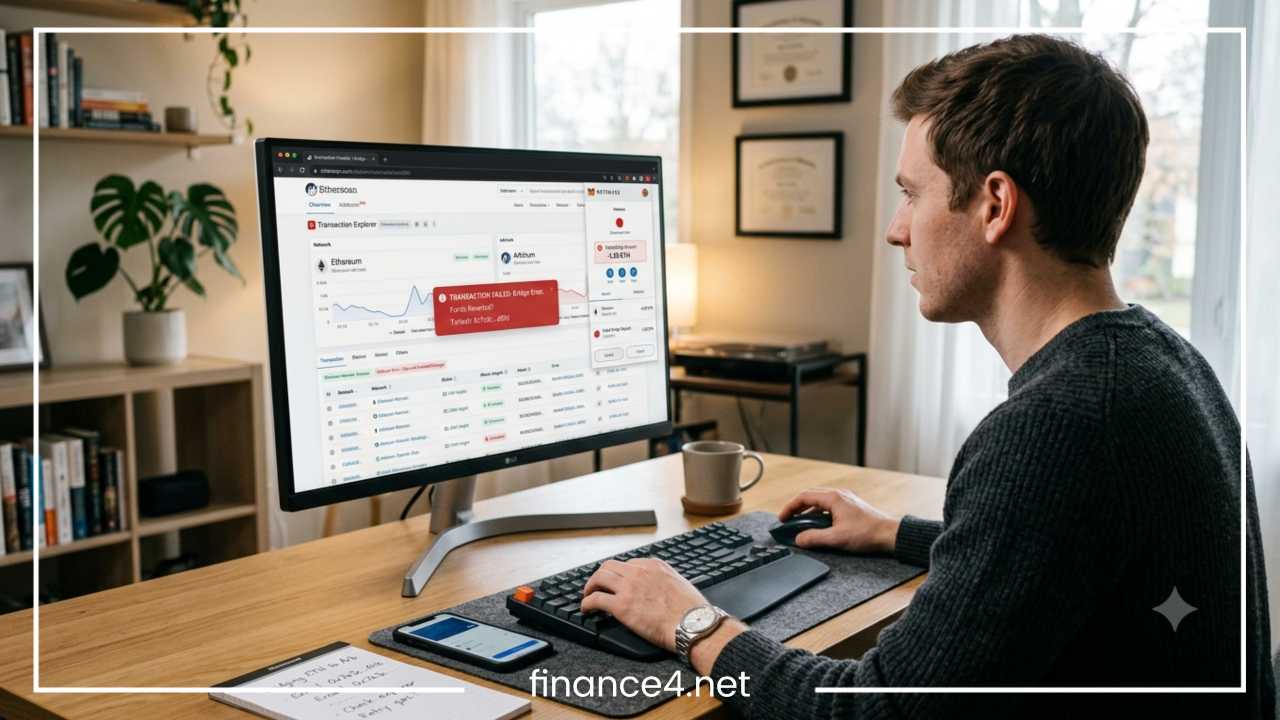
How to Reclaim Failed Bridging Transactions: Step-by-Step Guide
What Happens When a Bridge Transaction Fails?
Cross-chain bridges are critical infrastructure components in the decentralized ecosystem. They facilitate the movement of digital assets and data payloads between disparate blockchain networks, such as moving tokens from Ethereum Mainnet to Layer 2 scaling solutions or alternative Layer 1 chains. However, because cross-chain bridging relies on multi-step operational flows involving distinct state machines, cryptographic attestations, relayers, and multi-signature smart contracts, transactions can stall or fail at several points along the path.
When attempting cross-chain transfers, users frequently encounter situations where assets depart the source address but fail to appear on the destination network. This scenario often causes panic, giving the impression that funds have vanished into an unrecoverable void. In reality, public blockchain ledgers record every transaction deterministic state, meaning cross-chain assets are rarely permanently destroyed during standard operations. Instead, they become temporarily trapped, unexecuted, or unminted within a smart contract or relayer queue.
Understanding How to Reclaim Failed Bridging Transactions requires distinguishing between three distinct state conditions:
-
Failed or Reverted Transaction: The transaction execution encountered an error on the source chain, causing state changes to revert. Gas fees are consumed, but source assets remain in the user address.
-
Pending or Stalled Transaction: The transaction succeeded on the source chain, but the cross-chain message or validation layer has not processed or finalized execution on the destination chain.
-
Completed Transaction with Unindexed Assets: The bridge successfully executed the minting or release mechanism on the destination chain, but the recipient wallet UI fails to display the tokens due to missing network settings or token contract indexing.
Crucially, users who experience a stalled or failed cross-chain transfer must refrain from immediately submitting duplicate bridge transactions. Executing repetitive requests without isolating the root cause can lead to duplicated gas fee burn, compounded network state bottlenecks, or fragmented liquidity claims. The recovery workflow depends on pinpointing precisely where the execution pipeline halted: the source layer, the bridge smart contract pool, the relayer validation network, or the destination execution protocol.
Can a Failed Bridging Transaction Be Reclaimed?
The short answer is yes: in the vast majority of non-malicious bridge failures, assets can be reclaimed, retried, or refunded. Because smart contracts operate deterministically, funds deposited into a cross-chain protocol remain bound by the program logic programmed into those contracts. Unless the underlying bridge contract suffers an exploit or critical vulnerability, assets cannot simply vanish without an on-chain record.
Recovery viability depends on the structural state of the funds across four specific scenarios:
-
Transaction Reverted on Source Chain: If the initial interaction with the bridge deposit contract failed at the source level (due to slippage, gas depletion, or execution errors), the protocol state reverts entirely. Your tokens never left your source wallet, though the native gas consumed for computation is non-refundable.
-
Assets Locked in Source Bridge Contract: If the source transaction succeeded, your assets were deposited into the bridge escrow or burn contract. If the cross-chain message failed to execute on the target chain, your funds remain securely held within the source contract state, waiting for a manual message retry, fallback execution, or timeout-triggered refund mechanism.
-
Message Delivered but Destination Execution Failed: If the validation layer relayed the cross-chain instruction, but execution on the destination chain failed (e.g., due to insufficient destination gas or execution slippage), the assets sit in a “claimable” state on the destination contract.
-
Wrapped Tokens Issued as Unmapped Synthetic Assets: If the target network minted synthetic representations that lack liquidity or local wallet tracking, the underlying value is preserved, but requires explicit wallet configuration or secondary conversion.
Evaluating transaction health requires querying underlying blockchain state machines via block explorers rather than relying solely on front-end wallet graphical user interfaces (GUIs). Wallet front-ends frequently desynchronize from active nodes during period of network congestion or API rate-limiting. A wallet interface displaying a zero balance does not prove asset loss; only the ledger state verified via a block explorer provides accurate verification. The fundamental rule of cross-chain asset recovery is strict: never attempt a recovery action until you have determined the exact step where the transaction state stopped.
Understanding the Bridging Transaction Lifecycle
To systematically troubleshoot and execute recovery mechanisms, you must understand the mechanical lifecycle of a cross-chain transfer. While cross-chain architectures vary—including lock-and-mint mechanisms, liquidity pool routers, and burn-and-mint protocols—the generalized execution pipeline follows seven sequential phases:
Wallet -> Source Chain -> Bridge Contract -> Relayer/Message -> Destination Chain -> Recipient Wallet
-
Wallet Signatures and Submission: The user signs a cryptographic transaction approving the bridge contract to spend tokens, followed by a second transaction initiating the deposit or transfer.
-
Source Chain Inclusion and Finality: The source blockchain processes the transaction within a block. Nodes update the local state to record that tokens were transferred into the bridge escrow contract or routed to a burn address.
-
Escrow or Burn Event Logging: Upon receiving the assets, the bridge smart contract emits an on-chain event (a cryptographic log entry containing transfer parameters such as sender, recipient, token type, amount, nonce, and target network ID).
-
Off-Chain Message Relay and Validation: Off-chain actors—such as relayers, validators, light clients, or decentralized messaging networks (e.g., LayerZero, Wormhole, Axelar)—detect the emitted event logs on the source chain. They gather cryptographic proofs (e.g., Merkle proofs or multi-signature attestations) verifying that the source transaction achieved finality.
-
Destination Transaction Submission: The relayer or user submits a transaction to the destination chain bridge contract, carrying the cryptographic proof and payload instructions.
-
Destination Execution (Mint/Release): The destination bridge contract verifies the incoming proof against validator signatures or state roots. Upon successful verification, it either mints synthetic wrapped tokens or releases native assets from a local liquidity pool to the specified recipient address.
-
Balance Updating and Indexing: The destination chain ledger records the balance update for the recipient address, and local RPC endpoints notify user interface applications.
A breakdown or state failure at any single node in this pipeline disrupts the sequence, requiring a precise recovery path matched to that failure mode.
Step 1: Find and Verify the Transaction Hash
The foundational requirement for recovering any stuck or failed bridging operation is locating the unique transaction hash (txhash) generated by the source chain when the initial transfer was submitted.
Locating the Transaction Hash
Open your Web3 wallet application (e.g., MetaMask, Rabby, Coinbase Wallet, Trust Wallet), navigate to the “Activity” or “History” tab, select the initiated bridge interaction, and copy the full 64-character hexadecimal string representing the transaction hash. If your wallet GUI fails to render the hash, copy your public wallet address and paste it directly into an appropriate blockchain explorer.
Using Blockchain Explorers
Navigate to the primary block explorer for the source chain:
-
Ethereum Mainnet: Etherscan
-
Arbitrum: Arbiscan
-
Optimism: Optimistic Etherscan
-
Polygon: PolygonScan
-
Base: Basescan
-
Solana: Solscan
-
BNB Chain: BscScan
Paste your transaction hash into the search bar to inspect the detailed execution profile.
Inspecting Essential On-Chain Data Fields
Analyze the following parameter fields on the block explorer page:
-
Transaction Status: Confirms whether the state is
Success,Failed,Reverted, orPending. -
Block Confirmations: Indicates whether the transaction has reached sufficient depth for finality, preventing chain reorganizations from altering state outcomes.
-
From (Sender): Verifies that the initiating address matches your wallet address.
-
To (Interacted With): Confirms interaction with the verified bridge contract address rather than an unverified or malicious contract.
-
Tokens Transferred: Displays the exact token standard, contract address, and precise unit quantity moved out of your address.
-
Gas Used and Limits: Shows whether computational execution consumed all allocated gas units (
Out of Gaserror). -
Event Logs: Contains raw emitted event topic logs (e.g.,
Deposit,TransferInitiated, orMessageSent), which hold the cryptographic payload details required by relayers.
Identifying On-Chain Execution States
-
Success: The source transaction executed correctly, tokens were deposited or burned, and an event log was emitted. The issue now lies downstream with the bridge relayer or destination execution.
-
Failed / Reverted: The execution halted on the source chain. No state changes occurred regarding token balances (except for consumed native gas).
-
Pending / In-Mempool: The transaction is queued in the network memory pool awaiting inclusion in a block by validators, often due to low priority gas fees.
-
Dropped / Replaced: The transaction was dropped from the mempool or superseded by a transaction using the same account nonce with higher gas fees.
Step 2: Determine Where the Bridge Transaction Failed
Systematic recovery depends on categorizing the point of execution failure. Use the diagnostic framework below to isolate where the operation stalled:
| Execution Point | Diagnostic Indicator | Primary Underlying Cause | Investigation Focus |
| Source Wallet | Transaction remains in unconfirmed/pending status locally; no txhash generated on-chain. | RPC endpoint desynchronization, stale nonce, insufficient native gas fees. | Check local wallet nonce, update RPC URL, inspect local mempool queue. |
| Source Chain Execution | Block explorer shows Status: Fail or Reverted. Gas fully or partially consumed. |
Contract execution error, strict slippage tolerance breach, unapproved token allowance. | Inspect contract error message (e.g., SlippageExceeded, InsufficientLiquidity). |
| Bridge Escrow Contract | Source tx succeeded, tokens left wallet, but no cross-chain message index generated. | Escrow pool paused, protocol deposit cap reached, parameter validation failure. | Inspect bridge protocol smart contract logs and official governance notices. |
| Relayer / Messaging Layer | Source tx succeeded, but bridge tracking interface displays Pending indefinitely. |
Relayer node off-line, cross-chain messaging fee underpaid, validator threshold unreached. | Query cross-chain messaging protocol explorers (e.g., LayerZero Scan, Wormhole Scan). |
| Destination Chain Execution | Relayer submitted destination tx, but target explorer shows Reverted status. |
Destination gas exhausted, target contract paused, recipient address incapable of execution. | Inspect destination transaction hash for execution revert reasons. |
| Destination Wallet UI | Destination tx shows Success and tokens transferred, but zero balance in wallet. |
Token contract unimported in wallet, RPC node lag, wrong destination network active. | Query destination block explorer for address balance; manually add token address. |
This diagnostic mapping determines whether recovery requires local RPC adjustments, manual message execution via bridge interfaces, native gas top-ups on target networks, or direct support ticket submission.
Step 3: Check the Bridge’s Transaction Status
Standard blockchain explorers display native operations on individual networks, but they rarely track asynchronous cross-chain message state progression across two distinct ledgers. To trace multi-chain operations, consult specialized cross-chain tracking interfaces and protocol-specific indexers.
Utilizing Protocol-Specific Trackers
Most cross-chain protocols operate dedicated explorer dashboards that track message lifecycle states using the source transaction hash or deposit nonce:
-
LayerZero: LayerZero Scan
-
Wormhole: Wormhole Explorer
-
Axelar: Axelarscan
-
Connext / Hop / Stargate: Respective native bridge application activity dashboards.
Paste your source transaction hash into these cross-chain indexers to inspect the real-time status of off-chain relayers and target validation signatures.
Understanding Bridge Status Parameters
Cross-chain indexers categorize operations using specific status indicators:
-
Pending / Processing: The cross-chain message was detected on the source network, but relayers are currently waiting for a specified number of block confirmations to guarantee source finality before transmitting proofs.
-
Awaiting Execution / Claimable: The relayer delivered the cryptographic proof to the destination chain, but the transaction requires the user to manually trigger the claim function and pay the target chain’s native gas fee.
-
Failed Destination Execution: The relayer attempted to execute the destination transaction, but the call failed due to execution parameter errors or insufficient destination gas allowances included in the source payment.
-
Completed: The protocol executed all steps, and assets were delivered to the target address on the destination chain.
-
Refundable: The cross-chain message timed out or encountered a terminal execution error, transitioning the funds into an on-chain state that permits a manual return to the source address.
Security Warning Regarding Official Interfaces
When navigating to bridge tracking interfaces, manual claim portals, or protocol dashboards, always verify the exact Uniform Resource Locator (URL). Malicious actors deploy phishing sites via sponsored search engine advertisements and direct social media messaging that mirror official bridge interfaces to drain connected Web3 wallets. Ensure domain validity by opening links directly from verified protocol documentation, official GitHub repositories, or verified crypto tracking aggregators like CoinGecko or DefiLlama. Never enter private keys or recovery seed phrases under any circumstances on a tracking page.
Step 4: Recover Funds From a Reverted Source-Chain Transaction
When a source-chain transaction reverts during a bridging attempt, the user’s funds are generally safe. Understanding the state mechanisms of EVM and non-EVM execution environments clarifies what happens during a revert event.
Mechanics of an On-Chain Revert
A blockchain transaction execution is atomic: it either completes entirely or leaves state variables unchanged. If an exception occurs mid-execution—such as reaching a require() failure in Solidity—the Ethereum Virtual Machine (EVM) halts execution, rolls back all state modifications, and restores account token balances to their exact pre-transaction state.
However, computational work performed by network validators up to the point of failure must still be compensated. Consequently, native gas tokens consumed during the partial execution are permanently deducted from your address and paid to network block proposers.
Common Revert Causes
-
Slippage Tolerance Violations: In Decentralized Exchange (DEX) or Automated Market Maker (AMM) integrated bridges, asset prices can fluctuate between transaction submission and block inclusion. If the output amount drops below the user-defined slippage limit, the contract reverts to protect against excessive value loss.
-
Insufficient Allowance: Failing to issue an explicit ERC-20
approve()transaction before initiating the bridge contract deposit prevents the contract from pulling funds, triggering an immediate contract revert. -
Pool Liquidity Exhaustion: The bridge’s target destination liquidity pool or local escrow parameter lacks sufficient reserves to complete the requested transfer volume.
-
Gas Limit Exhaustion: The gas limit allocated in your Web3 wallet was lower than the actual computational complexity required by the bridge contract logic, producing an
Out of Gasexecution error.
Verification and Recovery Steps
-
Open the source block explorer and search for your transaction hash.
-
Locate the line item for Tokens Transferred. In a reverted transaction, this line will either be absent or marked with a red warning icon indicating a cancelled state.
-
Inspect your public address balance on the explorer. Confirm that the full token balance (e.g., USDC, ETH, WBTC) remains inside your wallet.
-
If the source transaction failed due to an
Out of Gaserror, resubmit the transaction with a higher gas limit parameter (e.g., manually increasing gas limit settings by 20–30% within your wallet’s advanced settings window). -
If the failure resulted from slippage breaches, adjust the bridge user interface settings to allow a slightly higher slippage percentage (e.g., moving from 0.1% to 0.5%) before re-attempting the transfer.
Step 5: Recover Assets Locked in the Bridge
One of the most complex bridging issues occurs when funds successfully leave the user wallet on the source chain, arrive inside the bridge contract’s escrow address, but fail to trigger the corresponding release or minting operation on the destination network. In this case, assets are held in escrow, awaiting manual intervention, message re-execution, or timeout-triggered refund procedures.
Primary Causes of Locked Assets
-
Relayer Inactivity or Network Disconnection: Off-chain relaying infrastructure may experience RPC downtime, consensus lag, or temporary operational outages, leaving valid messages unprocessed in the bridge message queue.
-
Cross-Chain Message Delivery Delays: The source chain experienced a temporary chain reorganization or high reorganization risk, forcing multi-sig validators to delay destination execution until higher block confirmation counts are achieved.
-
Gas Spike on Destination Chain: The native gas fee pre-funded on the source chain to pay for destination execution proved insufficient due to sudden gas spikes on the target network. The relayer halts execution rather than incurring an unprofitable gas loss.
Protocol Recovery Mechanisms
Depending on the underlying architectural design of the bridge, several standardized recovery interfaces exist:
Manual Claiming Portals
Certain bridges require users to manually submit an on-chain claim transaction on the destination chain to finalize token release.
-
Navigate to the official bridge interface and connect the recipient Web3 wallet.
-
Open the transfer history tab or search for your source transaction hash within the bridge’s native “Restore/Claim” utility.
-
Switch your Web3 wallet to the Destination Network.
-
Ensure your destination wallet holds a small balance of the destination chain’s native gas token (e.g., ETH on Arbitrum, POL on Polygon, AVAX on Avalanche).
-
Click Claim to sign the transaction and execute the destination contract function to release your assets.
Source Chain (Escrow Verified) ---> Message Relayer ---> User Executes Manual Claim (Destination Gas Paid) ---> Assets Unlocked
Message Retry Mechanisms
Protocols built on messaging layers like Arbitrum Nitro (Retryable Tickets) or LayerZero allow users to manually re-execute failed destination messages.
-
Locate the cross-chain message ID or destination transaction hash using a cross-chain explorer.
-
Access the protocol’s developer or recovery console (e.g., Arbitrum Retryable Ticket Tool or LayerZero Message Execution Portal).
-
Connect your wallet set to the destination network.
-
Provide the original source transaction hash or message ticket ID.
-
Pay an updated native gas fee to execute the
retryablecontract call, forcing the destination contract to process the cached payload.
Protocol Timeout and Automated Refunds
If a bridge operation cannot complete on the destination network within a specified timeframe (e.g., due to liquidity pool deficits or protocol halts), well-designed bridges feature an automated or manual refund flow:
-
Time-Lock Expiration: The escrow contract locks deposited funds for a predetermined duration (e.g., 2 hours to 24 hours).
-
Refund State Activation: Once the time-lock expires without cryptographic proof of destination delivery, the source contract shifts the state of your deposit from
EscrowedtoRefundable. -
Executing the Refund: Navigate to the bridge interface, locate the expired transfer in your history, select Request Refund, and sign the source network transaction to withdraw tokens back into your original address.
Step 6: Recover a Transaction That Is Stuck or Pending
A transaction marked as Pending or Stuck requires a methodical diagnostic approach before attempting any corrective actions. Crucially, a pending status can originate either locally on your Web3 wallet or globally across the target blockchain networks.
Distinguishing Local Wallet Delays from Cross-Chain Delays
First, determine if the delay is local to your client software:
-
Copy your public wallet address and search it on the source block explorer.
-
If the block explorer shows no record of the transaction hash, the transaction is stuck locally in your wallet’s internal memory queue due to an improper account nonce or RPC connection issue.
-
If the block explorer shows the transaction as Pending, it has been broadcast to the public mempool but lacks a sufficient gas fee to incentivize block validators to include it.
-
If the block explorer shows the source transaction as Success, the delay is strictly cross-chain, occurring within the relayer network or destination execution phase.
Resolving Stuck Local Transactions (Nonce Management)
Transactions submitted from an account must execute sequentially based on an incremental integer known as a nonce. If transaction Nonce 15 stalls in the mempool due to low gas fees, every subsequent transaction (Nonce 16, Nonce 17) remains blocked behind it.
To clear a locally stuck transaction:
Method A: Wallet “Speed Up” Feature
-
Open your wallet’s activity tab and locate the pending transaction.
-
Click Speed Up.
-
Select an aggressive gas fee tier (e.g., “High” or “Market Aggressive”) to re-broadcast the same transaction payload with a higher priority gas fee (Max Fee and Max Priority Fee).
Method B: Nonce Overwrite Strategy
If the wallet application fails to clear the queue, overwrite the stuck nonce manually:
-
Enable Customize Transaction Nonce or Control Nonce in your Web3 wallet’s advanced settings.
-
Identify the exact nonce integer assigned to the oldest pending transaction via the block explorer.
-
Initiate a new, simple transaction sending
0native tokens (e.g., 0 ETH) directly to your own address. -
Set the manual nonce of this new transaction to match the stuck nonce integer exactly.
-
Set the gas fee to a high market rate and broadcast the transaction.
Validators will process this higher-gas cancellation transaction first, filling that nonce slot and dropping the stuck bridge transaction from the mempool.
Stuck Tx (Nonce 15, Low Gas) ---> Overwritten By ---> Self-Send 0 ETH (Nonce 15, High Gas) ---> Mempool Cleared
Handling Relayer and Network Congestion Delays
If the source transaction has succeeded on-chain, cross-chain delays are commonly caused by temporary throughput spikes or relayer backlogs. During periods of severe network congestion, validators require more time to reach finality, and relayers queue operations to avoid executing during unprofitable gas spikes.
Recommended Protocol: Monitor the transaction via a cross-chain explorer. If the message status displays Pending Finality, wait for the required block confirmations to complete. Avoid attempting secondary transfers while the initial message payload is in transit, as cross-chain relayers process queued events sequentially.
Step 7: What to Do When the Destination Transaction Failed
A particularly confusing cross-chain scenario occurs when the source transaction executes with a Success status, the relayer relays the cryptographic proof, but the execution on the destination chain fails and shows Reverted.
Primary Causes of Destination Failures
-
Insufficient Destination Gas Allowance: When pre-paying cross-chain gas fees on the source chain, market fluctuations can cause the estimated destination gas execution costs to rise before the relayer submits the target transaction. The target contract attempts execution, runs out of gas mid-call, and reverts.
-
Receiver Contract Rejection: If the destination recipient address is a smart contract (such as a multi-signature wallet, automated vault, or custom application contract) rather than an Externally Owned Account (EOA), its internal code may explicitly reject the incoming token transfer or execution hook payload.
-
Unsupported Wrapped Assets: The destination bridge contract attempts to output a token that has reached its minting supply cap or has been paused by protocol governance.
-
Execution Slippage Breaches: Cross-chain swaps involving multi-hop transactions (e.g., bridging USDC from Ethereum and auto-swapping to AVAX on Avalanche) may revert on the destination network if local liquidity pools shift during the cross-chain transit window.
Actionable Recovery Workflow
When destination execution fails, the cross-chain protocol caches the execution payload state in the target bridge contract.
-
Obtain the Destination Transaction Hash from the cross-chain tracker (e.g., Wormhole Scan or LayerZero Scan).
-
Open the target network’s block explorer (e.g., Arbiscan, Basescan) and review the execution error message provided in the status overview.
Scenario A: Execution Failed Due to Low Destination Gas
If the error states Out of Gas or Execution Reverted due to gas limits:
-
Access the bridge protocol’s manual execution utility.
-
Connect your wallet set to the Destination Network.
-
Ensure your destination wallet address contains native gas tokens (e.g., ETH, POL, AVAX) to fund execution directly.
-
Call the
retryorexecutefunction on the destination bridge contract, supplying a fresh, locally funded gas allocation.
Scenario B: Swap Execution Failed (Slippage Revert)
If a destination auto-swap fails, the bridge contract logic typically defaults to a fallback safety mode:
-
The contract aborts the secondary DEX swap.
-
Instead of executing the swap, it deposits the intermediate cross-chain wrapped asset directly into your destination recipient address.
-
To recover your value, inspect your destination address for the intermediate asset (e.g., bridged USDC or wrapped tokens), and manually execute the trade on a native destination DEX (e.g., Uniswap, Trader Joe).
Step 8: Check Whether the Tokens Actually Arrived
A significant percentage of reported “lost bridge funds” are false alarms caused by wallet application display limitations rather than on-chain execution failures. In these cases, the bridge completed successfully, and the tokens sit securely in the destination account, but the Web3 wallet interface fails to render the balance.
Verifying Ledger Balances Directly
Never rely exclusively on your wallet GUI balance list to confirm asset delivery. Verify the ledger state directly:
-
Open the official block explorer for the Destination Network.
-
Input your destination wallet address into the search bar.
-
Navigate to the Token Holdings or ERC-20 / BEP-20 / SPL Token Balances dropdown menu.
-
Search the index for the target token ticker or token value.
If the block explorer records the tokens within your public address, your cross-chain transaction was entirely successful. Your wallet interface simply lacks the configuration necessary to display the asset.
Resolving Wallet Display Issues
Step 1: Switch to the Correct Destination Network
Confirm that your Web3 wallet is actively pointed to the target chain (e.g., Optimism Mainnet) rather than the source network (e.g., Ethereum Mainnet). If the network is missing from your wallet’s list, add the RPC parameters manually or via verified tools like Chainlist.
Step 2: Manually Import Custom Token Contracts
Standard Web3 wallets only auto-index widely traded, native assets. Newly minted wrapped assets or bridge-specific token variants (e.g., USDC.e, axlUSDC, hopUSDC) require manual contract importing:
-
Copy the Contract Address of the received token directly from the destination block explorer.
-
Open your Web3 wallet application on the destination network.
-
Scroll to the bottom of your asset list and click Import Tokens or Add Custom Token.
-
Paste the copied token contract address into the designated field.
-
The wallet will automatically populate the Token Symbol and Decimals of Precision fields (e.g., 6 decimals for USDC).
-
Click Add Custom Token / Confirm.
Copy Token Contract Address (Block Explorer) ---> Open Wallet (Destination Chain) ---> Import Custom Token ---> Paste Address ---> Asset Displayed
Step 3: Refresh RPC Endpoints
If the token is imported but displays a zero balance, your wallet’s active RPC node may be experiencing synchronization lag:
-
Open your wallet’s Network Settings.
-
Select the active destination network.
-
Replace the default Public RPC URL with an alternative high-availability RPC endpoint (e.g., endpoints provided by Alchemy, Infura, or Ankr).
-
Save the network configuration and restart your wallet interface.
Step 9: Contact Bridge Support With the Right Evidence
If manual recovery attempts, retry mechanisms, and display troubleshooting fail to resolve the stuck transaction, you must escalate the issue to the official technical support team of the bridge protocol. Preparing structured cryptographic evidence accelerates resolution times while shielding you from social engineering scams.
Preparing Technical Evidence
When submitting a technical support ticket through official protocol channels (e.g., dedicated support desk portals or official Discord ticketing systems), compile the following parameter set:
-
Source Transaction Hash: The 64-character hexadecimal transaction identifier from the initiating network.
-
Destination Transaction Hash: (If applicable) The hash generated by the relayer on the target network.
-
Initiating Address: Your public wallet address on the source network.
-
Recipient Address: The target public wallet address on the destination chain.
-
Source and Destination Networks: The specific networks involved (e.g., Source: Arbitrum One; Destination: Ethereum Mainnet).
-
Token Ticker and Contract Address: The exact token moved, including its contract address.
-
Cross-Chain Message / Transfer ID: The internal tracking identifier retrieved from a cross-chain block explorer.
-
Detailed Symptom Description: A technical narrative detailing observed error codes, status indicators, and steps already attempted.
Security Guidance: Identifying Support Scams
Decentralized finance ecosystems are targeted by malicious actors who monitor public forums and social media platforms for keywords like “bridge failed,” “stuck transaction,” or “lost funds.”
-
The Golden Rule of Web3 Support: NO OFFICIAL BRIDGE SUPPORT MEMBER, COMMUNITY MODERATOR, OR DEVELOPER WILL EVER ASK FOR YOUR PRIVATE KEYS, RECOVERY SEED PHRASE, OR DIRECT YOU TO ENTER YOUR PHRASE ON A “RECOVERY SYNC” WEBSITE.
-
Direct Messages (DMs): Treat all unsolicited Direct Messages on platforms like Discord, Telegram, or X (formerly Twitter) as malicious phishing attempts. Official support teams conduct technical assistance inside designated, user-initiated public support tickets.
-
Malicious Verification Links: Never click links directing you to “rectify your wallet,” “synchronize nodes,” or “unlock bridge RPCs.” These sites execute malicious approval scripts designed to drain connected wallets.
Common Reasons Bridging Transactions Fail
To help quickly isolate issues, the underlying technical causes of cross-chain transaction failures are summarized below:
-
Insufficient Gas for Execution: Initiating a transfer without reserving enough native gas tokens (e.g., ETH, POL, AVAX, BNB) to cover both the source network interaction and the off-chain relayer’s destination execution fee.
-
Cross-Chain Relayer Delays: Congestion within off-chain validation networks or RPC infrastructure causing delayed message delivery across chains.
-
Slippage Tolerance Violations: Rapid market price movements during multi-hop bridge-and-swap operations exceeding user-defined slippage limits.
-
Strict Liquidity Deficits: Destination bridge contract pools lacking sufficient native assets to fulfill large release operations.
-
Unsupported Smart Contract Recipients: Attempting to bridge funds directly to exchange deposit addresses or smart contracts incapable of parsing cross-chain message hooks.
-
Network State Reorganizations: Short-term chain reorganizations on the source chain invalidating the original deposit block before relayer confirmation thresholds are met.
-
Protocol Circuit Breakers: Automated pause mechanisms triggered by bridge monitoring systems during sudden volatility spikes or anomalous security events.
-
Incorrect Nonce Ordering: Out-of-sequence wallet transactions blocking the processing of the source bridging transaction within the mempool.
Common Mistakes to Avoid During Recovery
When attempting to recover stuck cross-chain funds, panicked user actions often worsen the situation. Avoid these critical operational mistakes:
| Mistake | Technical Risk | Correct Preventive Action |
| Sending Duplicate Transactions | Causes double-deposits, unnecessary gas fee burn, and additional mempool queue blocking. | Pause all new transfers until the original transaction hash resolves as either Success or Reverted. |
| Interacting with Unverified “Recovery” Sites | Triggers malicious drainer scripts that wipe all assets from connected Web3 wallets. | Use only official protocol URLs linked directly from documentation or major tracking aggregators. |
| Sharing Private Keys or Seed Phrases | Grants total, permanent control over your entire address and all associated balances across all chains. | Never reveal your private key or seed phrase to anyone, under any circumstances. |
| Signing Unclear Wallet Approvals | Executing “permit” or “setApprovalForAll” calls grants malicious contracts permission to drain tokens. | Inspect transaction call data carefully within your wallet before signing any message during recovery. |
| Modifying Custom Network RPCs Randomly | Exposes wallet data to malicious RPC nodes capable of spoofing account balances and simulating fake states. | Use only verified, established RPC endpoints sourced from reputable providers or direct network documentation. |
| Ignoring the Destination Chain Ledger | Leads users to assume funds are lost when assets were successfully delivered but remain unindexed in the GUI. | Always check your destination address balance directly on a public block explorer first. |
How to Prevent Failed Bridging Transactions
While cross-chain infrastructure continues to mature, adopting rigorous pre-execution habits minimizes the risk of encountered transaction failures:
Pre-Bridging Operational Checklist
-
Conduct Test Transactions: When executing transfers involving substantial capital or new bridge protocols, broadcast a small “test transfer” first. Verify end-to-end delivery before sending the full balance.
-
Pre-Fund Destination Gas Accounts: Ensure your destination wallet address holds a sufficient balance of the target network’s native gas token before initiating the cross-chain transfer. This prevents funds from stalling in an “awaiting claim” state due to lack of local gas.
-
Check Protocol Liquidity and System Status: Inspect the bridge interface or protocol status pages to ensure destination liquidity pools are well-funded and that message relayers are operating normally.
-
Avoid Direct Exchanges Transfers: Never bridge assets directly to a centralized exchange (CEX) deposit address unless the exchange explicitly states support for that exact bridge protocol and cross-chain standard. Always bridge to an Externally Owned Account (EOA) wallet first, then submit a standard transfer to the exchange.
-
Set Conservative Slippage Parameters: On bridge transfers involving automated swaps, configure conservative slippage tolerances (e.g., 0.5%–1.0%) to accommodate market fluctuations during cross-chain message transit windows.
-
Verify Official Application Domains: Bookmark verified bridge interfaces. Avoid searching for bridge portals via unvetted search engine links, which may display sponsored phishing sites.
-
Archive Transaction Hashes Immediately: Save the source transaction hash as soon as your wallet broadcasts the transfer. Maintaining a clear execution log simplifies tracking and troubleshooting across multiple block explorers.
Final Checklist for Reclaiming Failed Bridging Transactions
Follow this systematic sequence to troubleshoot and reclaim failed or stuck cross-chain assets:
-
Locate the Transaction Hash: Copy the source transaction hash directly from your Web3 wallet’s activity history.
-
Inspect Source Chain Status: Query the transaction hash on the source block explorer to confirm if the status is
Success,Reverted, orPending. -
Check Wallet Balances: If the transaction reverted, confirm that your source token balance remains intact inside your wallet (minus consumed native gas).
-
Track Cross-Chain Message Progression: Paste the transaction hash into a dedicated cross-chain messaging tracker (e.g., LayerZero Scan, Wormhole Explorer) to pinpoint where the process halted.
-
Evaluate Destination Chain State: Query your recipient public address on the destination block explorer to check if tokens were delivered or if destination execution reverted.
-
Manually Import Token Contracts: If the destination explorer shows tokens in your account, add the contract address manually as a custom token inside your Web3 wallet interface.
-
Execute Manual Claim / Retry Hooks: If assets are claimable or stuck mid-execution on the destination network, connect your wallet, switch to the destination network, pay local gas, and execute the manual claim or retry function.
-
Clear Local Mempool Delays: If the source transaction remains stuck locally, speed up the transaction with higher gas fees or overwrite the nonce with a 0-value self-transfer.
-
Escalate via Official Channels: If funds remain trapped in protocol escrow, submit a technical ticket containing your source hash, network details, and message IDs through official protocol support channels.
-
Maintain Strict Wallet Security: Never share your private key, seed phrase, or sign unverified smart contract approvals during any stage of the recovery process.
Frequently Asked Questions (FAQ)
What happens if a crypto bridge transaction is stuck pending?
If a crypto bridge transaction is stuck in a pending state, it usually means the transaction is waiting for a sufficient number of block confirmations on the source network, or the off-chain relayer layer is experiencing network congestion. First, check your transaction hash on the source blockchain explorer. If the source transaction has succeeded, copy the hash into a cross-chain tracker (such as LayerZero Scan or Wormhole Explorer) to monitor relayer progress. Do not submit duplicate transactions while a message is actively pending.
How to recover tokens sent to the wrong network via a bridge?
If you bridged tokens to an address on a network that you did not intend to use, your funds are usually not lost as long as you control the private key or seed phrase of the destination wallet. Configure your Web3 wallet (e.g., MetaMask or Rabby) to connect to the correct destination network using the proper RPC settings, and manually import the token’s contract address. If you bridged tokens directly to a centralized exchange deposit address on an unsupported network, you must contact the exchange’s customer support with your transaction hash to request manual asset recovery.
Why did my cross-chain bridge transaction fail but gas fees were charged?
Gas fees on public blockchains pay for the computational resources used by network validators to execute smart contract code. If a bridge transaction reverts due to slippage limits, contract execution errors, or an insufficient gas limit set in your wallet, the validators still performed the computational work up to the point of failure. Because blockchain execution is atomic, your deposited tokens remain in your wallet, but the native gas spent attempting the transaction cannot be refunded.
How do I claim funds locked in a smart contract bridge?
To claim funds trapped inside a bridge escrow smart contract, navigate to the official bridge interface and locate the transaction history or recovery utility. Connect your Web3 wallet, select the destination network, and verify that you hold enough native gas tokens (such as ETH, POL, or AVAX) on the destination chain to process the transaction. If the bridge protocol supports manual claims or message retries, click the claim button to sign the destination contract call and release your assets into your wallet address.
Why are my bridged tokens not showing up in my MetaMask wallet?
If the destination block explorer confirms that your bridge transaction succeeded but your tokens do not appear in MetaMask, your wallet application is likely missing the network configuration or the specific token contract address. First, ensure your wallet is connected to the correct destination network. Scroll to the bottom of your asset list, select “Import Tokens,” and paste the exact token contract address found on the destination block explorer. Once imported, your balance will display immediately.
Can a bridge transaction be cancelled after it is submitted?
Once a bridging transaction is included in a block on the source chain, it cannot be cancelled or undone because blockchain state updates are irreversible. However, if the transaction is still pending in your local wallet mempool before being confirmed on-chain, you can cancel or overwrite it by using your wallet’s “Cancel” button or by sending a 0-value transaction to your own address using the exact same transaction nonce with a higher priority gas fee.