Storing Bitcoin on Mobile-Only Wallets Safely
 by
by 
Storing Bitcoin on Mobile-Only Wallets Safely: A Comprehensive Guide
Bitcoin, the pioneering cryptocurrency, has revolutionized the way we think about and interact with finance. Its decentralized nature and limited supply have propelled its value and adoption globally.
As more individuals embrace Bitcoin, the question of secure storage becomes paramount. While various storage solutions exist, mobile-only wallets have emerged as a popular choice due to their convenience and accessibility.
However, this convenience comes with inherent risks, and ensuring the safety of your Bitcoin on a mobile wallet requires diligent adherence to best security practices.
This comprehensive article delves into the nuances of storing Bitcoin securely on mobile-only wallets, providing a detailed roadmap for safeguarding your digital assets.
Understanding the Landscape: Bitcoin Wallets and Their Variations
Before diving into the specifics of mobile-only wallets, it’s crucial to understand the broader context of Bitcoin wallets.
A Bitcoin wallet, in essence, is a software program or hardware device that interacts with the Bitcoin blockchain, allowing users to send, receive, and manage their Bitcoin.
It doesn’t actually store the Bitcoin itself; rather, it securely holds the private keys necessary to access and spend the associated Bitcoin on the blockchain.
Bitcoin wallets can be broadly categorized into custodial and non-custodial wallets. Custodial wallets are those where a third party holds your private keys on your behalf.
Think of cryptocurrency exchanges – when you store Bitcoin on an exchange, you don’t have direct control over your private keys.
While convenient for trading, this approach introduces counterparty risk, as your funds are subject to the security measures and solvency of the exchange.
Non-custodial wallets, on the other hand, grant you complete control over your private keys. You are solely responsible for their security.
Mobile-only wallets typically fall under the non-custodial category, empowering users with full ownership of their Bitcoin.
This self-custody model offers greater security and autonomy but also places the onus of safeguarding the private keys squarely on the user.
The Allure and Inherent Risks of Mobile-Only Wallets
Mobile-only Bitcoin wallets have gained significant traction due to their undeniable convenience. They are readily accessible on smartphones, devices most people carry with them daily.
This makes them ideal for everyday transactions, quick checks of your balance, and managing smaller amounts of Bitcoin.
The user interfaces are often intuitive and designed for ease of use, making them accessible even to those new to the world of cryptocurrency.
However, the very nature of mobile devices introduces a set of inherent risks that must be carefully considered when storing Bitcoin.
Smartphones are connected to the internet, making them potential targets for online threats such as malware, phishing attacks, and remote access attempts.
The operating systems themselves can have vulnerabilities that malicious actors can exploit. Furthermore, mobile devices are susceptible to physical loss or theft, which could lead to unauthorized access to your wallet if proper security measures are not in place.
Therefore, while mobile-only wallets offer unparalleled convenience, they should be approached with a heightened awareness of the associated risks.
Treating your mobile Bitcoin wallet with the same level of caution you would apply to your physical wallet, if not more, is paramount.
Fortifying Your Digital Fortress: Key Security Practices for Mobile Bitcoin Wallets
To mitigate the risks associated with storing Bitcoin on mobile-only wallets, a multi-layered approach to security is essential.
This involves securing both your mobile device and the wallet application itself. Here’s a comprehensive breakdown of crucial security practices:
1. Choosing a Reputable and Secure Wallet
The foundation of secure mobile Bitcoin storage lies in selecting a trustworthy and well-vetted wallet application. Conduct thorough research before settling on a particular wallet. Consider the following factors:
- Reputation and Track Record: Look for wallets with a long-standing positive reputation within the Bitcoin community. Read reviews and testimonials from other users to gauge their experiences.
- Security Features: Evaluate the security features offered by the wallet. Does it support strong encryption? Does it offer two-factor authentication (2FA)? Does it have a history of security breaches or vulnerabilities?
- Open-Source Code: Opt for wallets with open-source code whenever possible. This allows the community to review the code for potential security flaws, enhancing transparency and trust.
- Active Development and Support: Choose a wallet that is actively maintained and receives regular updates. This ensures that any newly discovered security vulnerabilities are promptly addressed.
- User Interface and Ease of Use: While security is paramount, the wallet should also be user-friendly. A complex and confusing interface can lead to errors that could compromise your security.
- Non-Custodial Nature: Confirm that the wallet is indeed non-custodial, meaning you have full control over your private keys.
2. Securing Your Mobile Device
Your mobile device is the gateway to your Bitcoin wallet, so securing it is a critical first line of defense. Implement the following measures:
- Strong Passwords or Biometrics: Use a strong, unique password or a robust biometric authentication method (fingerprint or facial recognition) to secure your device. Avoid easily guessable passwords like birthdays or common words.
- Keep Your Operating System Updated: Regularly update your device’s operating system (iOS or Android) to the latest version. These updates often include crucial security patches that protect against known vulnerabilities.
- Install a Reputable Antivirus and Anti-Malware App: Consider installing a reputable antivirus and anti-malware application on your device. These apps can help detect and remove malicious software that could compromise your wallet.
- Enable Device Encryption: Ensure that your device’s storage is encrypted. This scrambles the data on your device, making it unreadable to unauthorized individuals even if they gain physical access.
- Disable Rooting or Jailbreaking: Avoid rooting (Android) or jailbreaking (iOS) your device. These processes remove security restrictions imposed by the operating system, making your device more vulnerable to malware.
- Be Cautious with Public Wi-Fi: Exercise caution when using public Wi-Fi networks, as they can be less secure and more susceptible to eavesdropping. Consider using a Virtual Private Network (VPN) to encrypt your internet traffic when on public networks.
- Disable Unnecessary Features: Disable features like Bluetooth and Wi-Fi when not in use, as they can be potential entry points for attackers.
3. Implementing Wallet-Specific Security Measures
Beyond securing your device, you must also take specific steps to protect your Bitcoin wallet application:
- Seed Phrase Management: The Cornerstone of Security:
- Understanding the Importance: Your seed phrase (also known as a recovery phrase) is a series of 12 to 24 words that serves as the master key to your Bitcoin wallet. It allows you to recover your funds if your device is lost, stolen, or damaged.
- Writing It Down Correctly: When you first set up your mobile wallet, you will be presented with your seed phrase. Write it down exactly as it appears, in the correct order, on a physical piece of paper. Double-check for any errors.
- Storing It in a Secure, Offline Location: This is arguably the most critical security practice. Store your written seed phrase in a secure, offline location where it is protected from physical damage (fire, water) and unauthorized access. Consider using multiple secure locations for redundancy.
- Never Take a Digital Photo or Store It Online: Absolutely never take a digital photograph of your seed phrase or store it on any online platform, cloud service, or messaging app. These digital copies are highly vulnerable to hacking and theft.
- Be Wary of Anyone Asking for Your Seed Phrase: No legitimate Bitcoin wallet provider or support personnel will ever ask for your seed phrase. Treat any such request as a scam.
- Setting Up a Strong PIN or Password for the Wallet: Most mobile wallets allow you to set up a separate PIN or password to access the application. Choose a strong, unique PIN that is different from your device’s passcode.
- Enabling Two-Factor Authentication (2FA) if Available: Some mobile wallets offer the option to enable 2FA, which adds an extra layer of security by requiring a second verification step (typically a code from an authenticator app) in addition to your password. If available, enable 2FA using a reputable authenticator app rather than SMS-based 2FA, which is more susceptible to SIM swapping attacks.
- Regularly Backing Up Your Wallet: While the seed phrase allows for recovery, some wallets offer additional backup options. Familiarize yourself with your wallet’s backup procedures and perform regular backups to ensure you can restore your wallet data if needed.
- Understanding Transaction Confirmation Processes: Before sending Bitcoin, carefully review the recipient’s address and the transaction amount. Many wallets display transaction details clearly before requiring confirmation. Double-check everything to avoid sending funds to the wrong address. Be aware of potential “address poisoning” attacks, where malware might replace the intended recipient’s address with an attacker’s address.
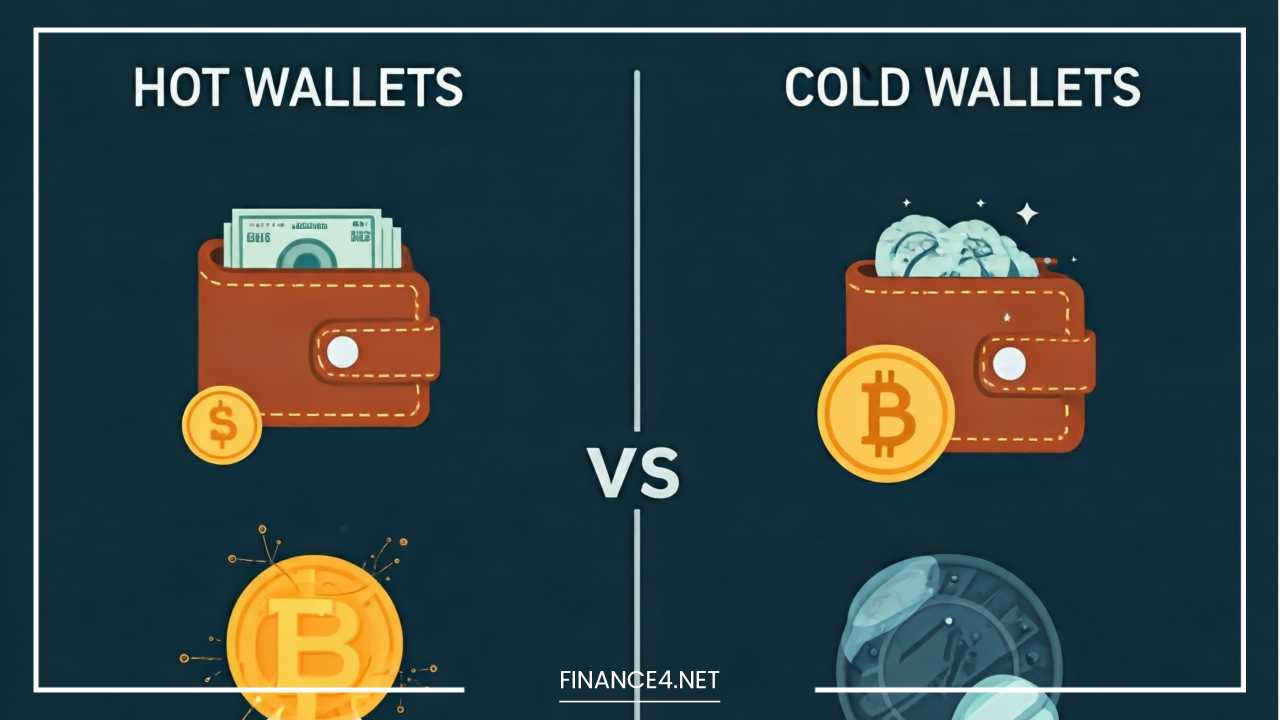
- Using a Separate Device for High-Value Holdings (Consideration): While this article focuses on mobile-only wallets, it’s important to acknowledge that for storing significant amounts of Bitcoin, a more secure alternative like a hardware wallet is generally recommended. Hardware wallets are dedicated devices designed specifically for securely storing private keys offline. If you hold a substantial amount of Bitcoin, consider using a hardware wallet for the majority of your holdings and reserving your mobile wallet for smaller, everyday transactions.
Advanced Security Considerations for the Security-Conscious User
For users seeking an even higher level of security, consider these advanced practices:
- Multi-Signature Wallets: Some advanced mobile wallets support multi-signature (multi-sig) functionality. This requires multiple private keys to authorize a transaction, significantly enhancing security. For example, you could have two keys, one on your mobile device and another securely stored elsewhere. Both keys would be required to move your Bitcoin, making it much harder for a single point of failure to compromise your funds.
- Using a Dedicated Mobile Device: For maximum security, consider using a separate, less frequently used smartphone solely for your Bitcoin wallet. Avoid installing other apps on this device, especially those from untrusted sources. Keep the device offline as much as possible and only connect it to the internet when necessary to check your balance or make a transaction.
- Regularly Reviewing Wallet Permissions: Periodically review the permissions granted to your Bitcoin wallet app on your mobile device. Ensure that it only has the necessary permissions to function correctly and revoke any unnecessary permissions.
- Staying Informed About Security Threats: The landscape of cryptocurrency security is constantly evolving. Stay informed about the latest security threats, scams, and phishing tactics by following reputable Bitcoin security news sources and communities.
Responding to the Unforeseen: What to Do in Case of Loss or Theft
Despite your best efforts, unforeseen circumstances can occur. If your mobile device containing your Bitcoin wallet is lost or stolen, immediate action is crucial:
- Remotely Wipe Your Device (If Possible): If you have enabled remote wiping on your device, attempt to wipe its data as soon as possible. This will prevent unauthorized access to your wallet.
- Recover Your Wallet Using Your Seed Phrase: If you have securely stored your seed phrase, you can recover your Bitcoin on a new device by importing the seed phrase into a compatible wallet. This highlights the critical importance of proper seed phrase management.
- If Your Seed Phrase is Lost: Unfortunately, if your seed phrase is lost or compromised, and your device is also lost or stolen, your Bitcoin is likely lost forever. This underscores the absolute necessity of safeguarding your seed phrase.
- Report the Loss or Theft: Consider reporting the loss or theft of your device to the relevant authorities.
Final Thoughts: Empowering Yourself Through Vigilance
Storing Bitcoin on mobile-only wallets offers a convenient entry point into the world of cryptocurrency. However, this convenience necessitates a proactive and diligent approach to security.
By understanding the risks involved and implementing the comprehensive security practices outlined in this article, you can significantly reduce the likelihood of losing your valuable digital assets.
Remember that with non-custodial wallets, you are your own bank. The responsibility for securing your Bitcoin rests entirely on your shoulders.
By choosing a reputable wallet, securing your mobile device, meticulously managing your seed phrase, and staying informed about potential threats, you can confidently navigate the world of Bitcoin with your mobile wallet as a secure tool in your financial arsenal.
The evolving landscape of Bitcoin security demands constant vigilance, and by embracing these best practices, you empower yourself to safeguard your digital wealth in the palm of your hand.