Troubleshooting Stuck Bridging Transactions
 by
by 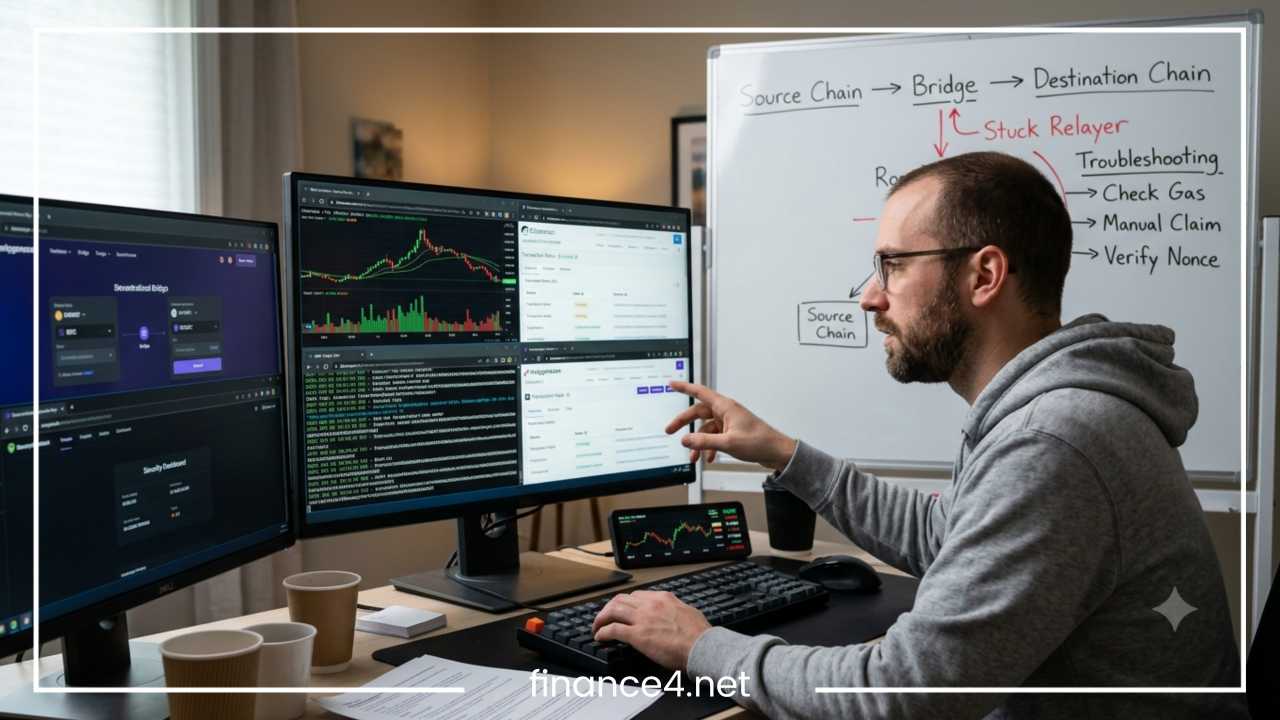
Troubleshooting Stuck Bridging Transactions: Step-by-Step Fixes
Why Bridging Transactions Get Stuck
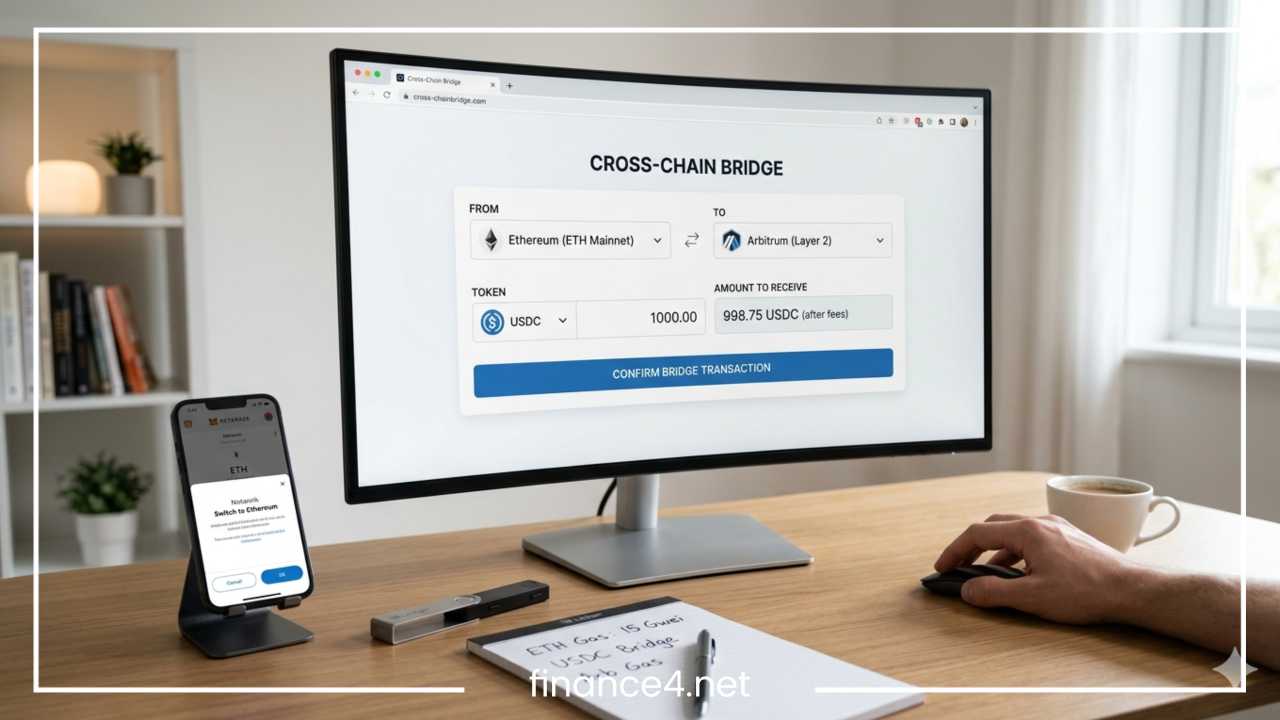
Cross-chain bridges are essential infrastructure in the decentralized ecosystem, enabling the transfer of tokens and arbitrary data across distinct, isolated blockchain networks. Unlike a simple standard transfer within a single network, bridging requires coordinating separate ledger operations, cryptographic proofs, off-chain relaying, and execution environments on two or more distinct blockchains.
When performing a cross-chain transfer, encountering a stuck bridging transaction is one of the most frustrating experiences in decentralized finance. A transaction is considered stuck when the execution stalls at any point along its multi-stage path, preventing your assets from reaching the intended address on the destination network within the normal operational timeframe.
Common symptoms of a stuck cross-chain transaction include:
-
The source-chain transaction has been pending in the mempool for an unusually long period.
-
The transaction shows as fully confirmed on the source blockchain explorer, but the expected assets have not appeared in your destination wallet address.
-
The user interface of the bridge protocol displays a perpetual status of processing, pending, or indexing.
-
The blockchain explorer indicates that the transaction execution has failed or reverted on either the source or destination layer.
-
A source-chain deposit succeeded, but no corresponding destination-chain transaction hash or state execution has been generated by the relayer network.
When faced with these symptoms, a common reaction is to immediately resubmit the transaction or initiate another transfer. However, blindly resubmitting a bridge transaction without proper diagnostic checks can worsen the problem. Duplicate submissions can lead to locked liquidity, unnecessary gas expenditure, multiple unintended execution requests, or confused contract states.
Troubleshooting Stuck Bridging Transactions effectively requires a systematic, diagnostic approach. By tracing the lifecycle of your transfer across both protocol layers, you can isolate the exact failure point and apply the precise technical fix required to safely resolve the issue.
Understand the Bridging Transaction Lifecycle
To resolve an stalled cross-chain transfer, you must first understand the underlying mechanical pipeline of a bridge protocol. A standard cross-chain token transfer does not physically teleport digital assets across networks. Instead, assets are locked or burned on the origin network, while equivalent assets are minted, released from liquidity pools, or unlocked on the target network.
| Stage | Name | Action Description | Potential Failure Points |
| 1 | Initiation | User approves token spending limit and submits bridge request via dApp UI. | Wallet RPC timeout or unconfirmed approval. |
| 2 | Source Submission | Transaction payload is broadcast to the origin blockchain mempool. | Low gas fee, pending nonce, or network congestion. |
| 3 | Source Confirmation | Origin network validators include deposit transaction into a block and finalize it. | Chain reorganization or unfinalized block depth. |
| 4 | Event Indexing | Off-chain bridge indexers, relayers, or oracles detect confirmed logs on the origin chain. | Indexer node downtime or RPC provider failure. |
| 5 | Proof Generation | Validators or cryptographic provers generate consensus signatures or validity proofs. | Unfilled signatures or validator consensus failure. |
| 6 | Destination Submission | Relayer or user submits proof and execution payload to target protocol contract. | Relayer gas exhaustion or target chain congestion. |
| 7 | Destination Finalization | Target network validators finalize destination execution block. | Reverted contract logic, slippage fail, or gas limits. |
| 8 | Asset Delivery | Target smart contract releases, mints, or unlocks mapped tokens to recipient. | Custom token unmapped in wallet UI or manual claim unexecuted. |
By mapping your transaction across these distinct functional stages, you can shift from broad guessing to isolating the specific step where the execution stopped.
First: Check Whether the Transaction Is Actually Stuck
Before initiating technical interventions, determine whether your transaction is genuinely stuck or simply undergoing expected latency. Blockchain networks experience variable block times, differing finality requirements, and temporary congestion spikes that can naturally extend bridging runtimes.
Perform these preliminary diagnostic checks:
-
Inspect the Source Transaction Hash: Retrieve the unique transaction identifier (hash) provided by your wallet or the bridge interface and inspect it on the native block explorer of the source network.
-
Verify Confirmation Counts: Different bridge designs enforce minimum block confirmation requirements before triggering off-chain relayers. For instance, transferring from Ethereum mainnet to a layer-2 rollup might require dozens of block confirmations to guarantee finality against re-organizations.
-
Examine Bridge Indexers: Cross-reference the transaction hash on the official activity monitor or tracking page provided by the bridging protocol.
-
Inspect the Destination Address: Check the target wallet address directly on the destination network’s block explorer rather than relying entirely on your local wallet UI.
-
Analyze Network Health and Maintenance Status: Verify whether either chain is experiencing high demand, fee spikes, or degraded node RPC performance, or if the bridge team has paused transfers for scheduled updates.
Categorizing Transaction Status States
Understanding the exact state reported by the ledger is critical:
-
Pending: The transaction sits in the source network mempool or destination execution queue awaiting validator inclusion.
-
Confirmed: The origin chain logic executed successfully and reached the required block depth; the transaction is now waiting for off-chain indexing or relayer processing.
-
Failed: The execution encountered an explicit runtime error on the blockchain, terminating execution and reverting state changes (except for gas fees consumed).
-
Reverted: The smart contract logic executed an internal rollback due to unfulfilled state assertions, such as slippage tolerance exceedance or insufficient contract liquidity.
-
Completed on Source / Pending on Destination: The origin network locked or burned the assets successfully, but the secondary network execution payload has not yet been processed by relayers or validated by the target chain.
Troubleshooting Stuck Bridging Transactions: Step-by-Step
Follow these targeted steps to diagnose and resolve a cross-chain transfer that has stalled.
Step 1: Locate and Verify the Transaction Hash
The foundation of cross-chain troubleshooting is obtaining the exact transaction hash generated by the origin network.
-
Open your Web3 wallet (such as MetaMask, Rabby, or Coinbase Wallet) and navigate to the activity or history tab.
-
Select the contract interaction corresponding to the bridge deposit and copy the full 66-character hex string (the transaction hash).
-
Open the block explorer native to the source network (e.g., Etherscan, Arbiscan, BscScan, Polygonscan, or Snowtrace).
-
Paste the transaction hash into the search bar.
-
Review the primary parameters: check that the Sender Address, Recipient Address, Token Address, Amount, and Chain ID match your target execution parameters precisely.
Do not rely strictly on the bridge’s web interface summary; client-side web interfaces often encounter synchronization lag, local caching glitches, or RPC timeout disconnects.
Step 2: Check Source-Chain Confirmation
If your transaction remains unconfirmed on the source blockchain, the bridging mechanism has not officially been triggered yet. The issue rests entirely at the origin layer mempool.
-
Insufficient Gas Price: If the gas price set during submission was lower than current base fee rates, network nodes will deprioritize your transaction.
-
Mempool Congestion: High traffic can delay low-priority transactions for hours.
-
Out-of-Order Nonce: If a preceding transaction with a lower nonce value is stuck pending in your wallet, all subsequent transactions (including the bridge transfer) will remain queued behind it.
Fix Action: If the source transaction is pending due to low gas or nonce queuing, use your wallet interface to speed up the transaction by increasing the max base fee and priority fee, or cancel the transaction by replacing it with a zero-value transfer using the exact same nonce.
Step 3: Check the Bridge Status
If the source-chain transaction is fully confirmed on-chain, inspect the operational status of the bridge protocol itself.
-
Relayer Processing Delays: Relayers are off-chain nodes responsible for picking up events from the source chain and broadcasting execution transactions to the destination chain. During periods of volatility, relayer queues can grow significantly.
-
Protocol Pauses and Safety Halts: Many cross-chain protocols feature automated circuit breakers that pause bridging contracts when unusual volumes, security anomalies, or target chain RPC outages occur.
-
Proof Generation Bottlenecks: Zero-knowledge or optimistic bridges require cryptographic state updates or verification windows before target execution can occur.
Check the bridge’s official status page, explorer dashboard, system announcements, or operational health feeds. If relayers are simply lagging under load, wait for the processing queue to catch up rather than broadcasting additional transactions.
Step 4: Check Destination-Chain Activity
When origin confirmation is complete but assets have not appeared in the receiving wallet, check destination-chain activity to isolate whether the issue is relayer delays or execution failure.
-
Copy your destination wallet public key.
-
Open the block explorer for the target network.
-
Paste your receiving address into the search interface and examine the Internal Txns, ERC-20 Token Txns, or standard Transactions tabs.
-
Search for recent incoming transfers originating from known bridge release, vault, or mint contracts.
If a transaction appears on the destination explorer as failed or reverted, the relayer attempted delivery, but execution failed at the destination smart contract level. If no transaction appears at all, the bridge protocol’s off-chain relay system has not yet submitted the delivery payload.
Step 5: Check Gas and Network Conditions
Bridging execution can stall at the destination layer due to gas market conditions on the target chain.
-
Relayer Out of Gas: Relayer nodes pay native gas tokens to execute transactions on the destination chain. If native gas fees spike rapidly on the target network, relayer wallets may temporarily exhaust their balance or pause operations until gas prices stabilize.
-
Destination Contract Requirements: Certain bridge architectures require the user to broadcast the second transaction leg on the target chain. If your destination wallet balance lacks the destination network’s native asset (such as ETH, MATIC, or AVAX) to cover local execution, the operation cannot finalize.
Ensure you hold a sufficient balance of native gas tokens on the target network if manual execution or interaction is required.
Step 6: Check Token and Contract Compatibility
Assets can be successfully delivered to your destination wallet on-chain without appearing in your Web3 wallet’s user interface. This is a visual display issue rather than a loss of funds.
-
Unmapped or Custom Tokens: Web3 wallet interfaces maintain default lists of popular tokens. If you bridge an algorithmic, wrapped, or newly deployed token, the wallet application will not display the balance automatically.
-
Wrapped vs. Native Assets: Ensure you are checking for the correct token variant. For example, bridging ETH across certain networks may yield Wrapped Ether (WETH) or a bridge-specific representation (such as eETH or WETH.e) rather than native ETH.
-
Incorrect Contract Addresses: Verify the official token contract address on the target network using an established ecosystem registry or block explorer.
Fix Action: Copy the official target token contract address from the target network’s block explorer. In your Web3 wallet, switch to the destination network, select Import Token or Add Custom Token, paste the contract address, and confirm. The balance should immediately render.
Step 7: Refresh Wallet/Bridge State
Web front-ends can fail to update state due to stale browser local storage, browser extension interference, or failing remote procedure call (RPC) nodes.
Try these practical interface resets:
-
Clear Wallet RPC Cache: Switch your wallet’s RPC endpoint for the destination chain to an alternative public or private provider (e.g., switching from a default public node to Alchemy, Infura, or Ankr).
-
Hard Refresh: Hard refresh the bridge web page (Ctrl+F5 or Cmd+Shift+R) to bypass cached UI states.
-
Reconnect Wallet Session: Disconnect your Web3 wallet from the bridge dApp, clear session connections via your wallet’s settings menu, and reconnect.
-
Import Address Direct Inspection: View the destination wallet address directly via a block explorer to verify on-chain realities independent of any web application UI.
None of these client-side interface troubleshooting actions alter or harm your actual blockchain transaction state on the ledger.
Step 8: Check Whether Manual Claiming Is Required
Non-custodial and decentralized bridge architectures often utilize a two-step transfer flow to maintain trustlessness:
-
Deposit/Lock Step: Assets are locked on the source chain, and a cryptographic proof of deposit is published.
-
Claim/Withdraw Step: The user must explicitly connect their wallet to the destination chain, present the cryptographic proof, and execute a claim function to release the assets.
If your bridging transaction displays as completed on the source, open the bridge application’s activity history tab. Look for an interactive button labeled Claim, Finalize, or Execute Transfer.
Always review the contract interaction parameters in your wallet before approving any claim transaction, verifying that you are interacting with the official, verified bridge smart contract on the target network.
Step 9: Investigate Failed or Reverted Transactions
If a block explorer explicitly tags your bridge transaction as Failed or Reverted, review the execution details.
-
Revert Reasons: Common smart contract execution failures include
Slippage Tolerance Exceeded,Insufficient Liquidity in Pool,Execution Reverted: Paused, orOut of Gas. -
State Recovery: When a source-chain bridge transaction reverts, the assets usually do not leave your source wallet (minus spent gas fees). However, if the source transaction succeeded but the destination transaction reverted, the bridge protocol’s emergency escrow or refund mechanism is triggered.
-
Refund Mechanisms: Many modern bridges feature automated refund processing, returning equivalent assets to the source network address or placing refundable tokens into a claimable contract vault after a safety timeout period.
Check the documentation of the specific bridge protocol to identify its built-in fallback and refund mechanisms for failed destination executions.
Step 10: Contact Bridge Support With the Right Information
If you have completed steps 1 through 9 and your assets remain unlocated or unclaimable, escalate the issue to the official support channel of the bridge protocol.
Prepare a support request containing these specific diagnostic details:
-
Source Transaction Hash: The exact hash string from the origin blockchain.
-
Source & Destination Networks: Clear identification of origin and target chains (e.g., Arbitrum One to Polygon PoS).
-
Sender & Recipient Wallet Addresses: Full public hex addresses.
-
Token Symbol & Amount: The asset swapped or transferred.
-
Bridge Transaction Identifier: The internal ID or order reference string generated by the bridge UI (if available).
-
Screenshots & Error Logs: Images of client UI error codes, alongside block explorer state logs.
Security Warning: Authentic protocol support staff will never request your wallet seed phrase, private key, or password, nor will they ask you to validate your wallet on an external website.
Common Causes of Stuck Bridge Transactions
To speed up diagnosis, reference this summary table mapping typical failure symptoms to their root causes and immediate verification checks:
| Primary Cause | Typical Symptom | What to Check First |
| Source-Chain Congestion | Transaction remains pending in wallet indefinitely | Check origin chain block explorer for pending status and mempool gas prices |
| Insufficient Source Gas | Transaction broadcast fails or stays queued behind nonce | Compare set priority fee against the current base fee on the source network |
| Bridge Protocol Congestion | Source transaction is confirmed, but destination processing lags | Inspect bridge protocol’s status page, relayer metrics, or official announcements |
| Relayer Out of Funds | Long delay between source confirmation and destination execution | Check destination block explorer to see if relayer transactions are failing |
| Destination Congestion | Destination claim or mint transaction takes extended time | Check destination network gas prices and target block processing times |
| Missing Native Destination Gas | Destination claim function cannot be executed | Check native asset balance (e.g., ETH, MATIC) in target wallet for gas execution |
| Unsupported / Unmapped Token | Transaction succeeds on-chain, but wallet shows zero balance | Import the destination token’s official contract address into your wallet |
| Contract Execution Failure | Explorer displays Status: Failed or Execution Reverted | Read transaction logs on the block explorer for specific error strings |
| Bridge Paused / Maintenance | Transfers halt mid-execution without updates | Check protocol Discord, Twitter status, or official health dashboards |
What Not to Do When a Bridge Transaction Is Stuck
When managing stalled cross-chain transfers, taking impulsive action can jeopardize your security or lock funds indefinitely. Avoid these common mistakes:
-
Do Not Repeatedly Resubmit the Transaction: Initiating identical bridge requests while an existing one sits queued in the mempool can result in multiple unwanted transactions executing sequentially once gas fees decline, exhausting your asset balance.
-
Never Disclose Seed Phrases or Private Keys: No legitimate bridge support representative, administrator, or developer will ask for your private key, seed phrase, or secret recovery key. Anyone requesting this information is attempting a theft.
-
Do Not Trust Unsolicited Direct Messages: Ignore direct messages on platforms like Discord, Telegram, or Twitter offering assistance with stuck transactions. Scammers actively target users posting about bridging issues.
-
Do Not Interact With Unverified Recovery Tools: Avoid third-party websites, web dApps, or manual scripts claiming to force-flush, re-index, or accelerate stuck cross-chain transactions outside of the official protocol interface.
-
Avoid Approving Unclear Smart Contract Permissions: Do not sign wallet permits or unlimited approval allowances for unfamiliar web interfaces or unverified contract addresses during recovery attempts.
-
Do Not Assume Funds Are Permanently Lost: Because blockchain actions are deterministic, assets locked in bridge contracts usually remain recoverable via automated protocol timeouts, manual refund functions, or relayer queue clearances.
How to Diagnose the Exact Failure Point
Use this decision logic matrix to systematically isolate where your bridging workflow failed based on observable chain states:
| Diagnostic Question | If Answer Is “NO” | If Answer Is “YES” |
| Question 1: Is the source-chain transaction confirmed on the block explorer? | Issue is localized to origin network mempool. Check low gas fees, network congestion, or blocked wallet nonces. Apply gas bump or cancel. | Proceed to Question 2. |
| Question 2: Does the bridge explorer or UI recognize the source transaction hash? | Off-chain indexing is delayed or minimum block confirmation threshold is unreached. Wait for higher block depth or check bridge indexer status. | Proceed to Question 3. |
| Question 3: Is a corresponding destination transaction hash visible on the explorer? | Relayers or validators have not broadcast payload to destination. Indicates relayer downtime, proof generation latency, or relayer gas exhaustion. | Proceed to Question 4. |
| Question 4: Did the destination-chain transaction succeed on-chain? | Destination execution failed or reverted (e.g., slippage limits or insufficient liquidity). Check bridge manual claim tab or refund vault. | Assets delivered on-chain. If missing in UI, manually import custom token contract or change RPC node endpoints. |
When to Wait vs. When to Take Action
Not every delay indicates a broken transaction; cross-chain workflows are subject to dynamic network conditions. Use these guidelines to determine whether to wait or intervene:
| Operational Scenario | Recommended Action | Underlying Technical Reason |
| Source transaction pending in mempool | WAIT | High base fees cause temporary queuing; network will process or drop naturally. |
| High block confirmation depth required | WAIT | Security protocols enforce high block counts before off-chain relayers trigger. |
| Official bridge incident/congestion announced | WAIT | Relayer queues require time to clear backlogs safely without duplicate fills. |
| Optimistic challenge window active | WAIT | Fixed fraud-proof delay windows (e.g., 7-day L2 withdrawal periods) cannot be bypassed. |
| Transaction status shows Reverted or Failed | TAKE ACTION | On-chain failure stops execution; requires parameter fixes or manual refund claims. |
| Interactive “Claim” button active in UI | TAKE ACTION | Two-step protocol is waiting for your wallet to execute target release transaction. |
| No progress after several hours under normal traffic | TAKE ACTION | Relayer indexing drop or edge-case failure requires formal protocol support ticket. |
| Assets arrived at intermediate contract vault | TAKE ACTION | Manual intervention via official recovery portal is needed to finalize release. |
How to Verify That the Funds Have Arrived
Once your troubleshooting actions are complete, verify the final settlement on the target ledger using this verification checklist:
-
Verify Target Address: Ensure the destination wallet key matches your intended recipient address line by line.
-
Review Target Explorer: Search your wallet address on the destination block explorer and look under the Token Transfers or Native Asset Transfers tab for the incoming transaction.
-
Inspect Token Smart Contract Address: Confirm that the token address delivered matches the official asset contract address recognized by the target ecosystem.
-
Confirm Final Token Balance: Compare your token balance before and after the transaction on the block explorer to verify the net increase.
-
Set Proper Wallet Display Parameters: Ensure your Web3 wallet is actively set to the correct destination network chain ID and that the custom token is added to your local display list.
Checking the ledger directly via a block explorer provides immediate verification independent of any third-party app UI.
Preventing Future Stuck Bridging Transactions
Minimizing cross-chain transfer issues involves following key operational best practices before broadcasting transactions:
-
Maintain Native Gas Reserve Balances: Keep a small balance of the native gas asset (ETH, MATIC, AVAX, BNB, SOL) on both source and target networks to ensure you can cover manual claims or approve approvals without delay.
-
Conduct Small Test Transfers: When using a bridge protocol, network pair, or token for the first time, execute a small test transaction to verify the pipeline before routing larger sums.
-
Check Bridge Health Before Initiating Transfers: Review bridge analytics, system status dashboards, and gas prices on both chains prior to committing funds.
-
Avoid Bridging During Unusually High Volatility: Rapid price movements and high gas spikes increase the risk of slippage rejections, transaction drops, and relayer delays.
-
Set Realistic Slippage and Gas Limits: Avoid setting excessively tight slippage tolerances or low priority fees when configuring your bridge request parameters.
-
Bookmark Official Bridge URLs: Access bridge dApps exclusively through verified, bookmarked links to prevent phishing and spoofed contract interactions.
-
Keep Wallet Software Updated: Regularly update your Web3 wallet extension or mobile app to maintain clean RPC management and proper token mapping logic.
Final Thoughts
Cross-chain bridge operations involve complex multi-stage workflows, requiring coordinated state changes across distinct, asynchronous cryptographic networks. Troubleshooting Stuck Bridging Transactions is much easier when you identify exactly where the transfer stopped instead of treating every delay as the same problem.
By identifying the issue—from origin mempool stuck states and relayer indexing queues to destination execution failures and simple local token view omissions—you can safely resolve transaction stalls without risking asset security or compounding contract errors. Always rely on native block explorers for accurate transaction status updates, maintain native gas reserves across all active chains, and verify all contract details directly on-chain.
Frequently Asked Questions (FAQ)
Why is my bridge transaction taking so long to complete?
A bridge transaction typically takes longer than a standard transfer because it involves processing on two separate blockchain networks plus off-chain indexing by relayers or validators. Delays usually happen due to network congestion on either chain, low gas fees on the source transaction, high required block confirmation thresholds, or a backlog in the bridge protocol’s relayer queue.
How do I fix a pending bridge transaction in MetaMask?
To fix a pending source transaction in MetaMask, open the wallet activity tab, select the pending bridge interaction, and click Speed Up to submit a higher gas fee (base fee + priority fee). Alternatively, you can cancel the pending request by sending a $0 self-transfer using the exact same nonce value as the stuck transaction.
What happens if a cross-chain bridge transaction fails?
If a bridge transaction fails on the source network, your tokens remain in your wallet, though you will lose the gas fee spent attempting the execution. If the transaction succeeds on the source network but reverts on the destination network (due to slippage, low gas, or insufficient bridge liquidity), the protocol’s contract will usually issue an automated refund back to your source address or place the funds into a manual claim vault after a set timeout period.
How can I track my stuck cross-chain transaction on-chain?
Copy the source transaction hash from your Web3 wallet and paste it into the native block explorer of the origin network (such as Etherscan or Arbiscan). From there, check whether the status is Pending, Confirmed, or Reverted. You can also copy the same transaction hash into cross-chain block explorers like SocketScan, LayerZero Scan, or Wormhole Scan to trace the exact relayer and destination status.
Why are my bridged tokens not showing up in my crypto wallet?
If the destination block explorer confirms that the bridge release transaction succeeded, your funds are already in your wallet. The most common reason they are not visible is that your wallet interface has not automatically mapped the custom token contract. To fix this, copy the official token contract address from the destination block explorer, go to your wallet, switch to the target network, select Import Token, and paste the contract address.
Can I cancel a stuck bridge transaction once it is confirmed on the source chain?
No, once a source-chain bridge deposit is fully confirmed on the blockchain ledger, the transaction cannot be cancelled or reversed. At that point, the assets are safely locked in the bridge smart contract, and you must wait for the off-chain relayers to execute delivery, wait for a protocol timeout refund, or manually trigger the destination claim step via the bridge’s activity interface.
Is it safe to resubmit a pending bridge transaction?
No, you should avoid repeatedly submitting or broadcasting identical bridge requests while the original transaction is still sitting in the mempool or processing queue. Duplicate submissions can lead to double gas expenditures or multiple unintentional cross-chain transfers once network congestion clears.