Bridging Cosmos to Polkadot
 by
by 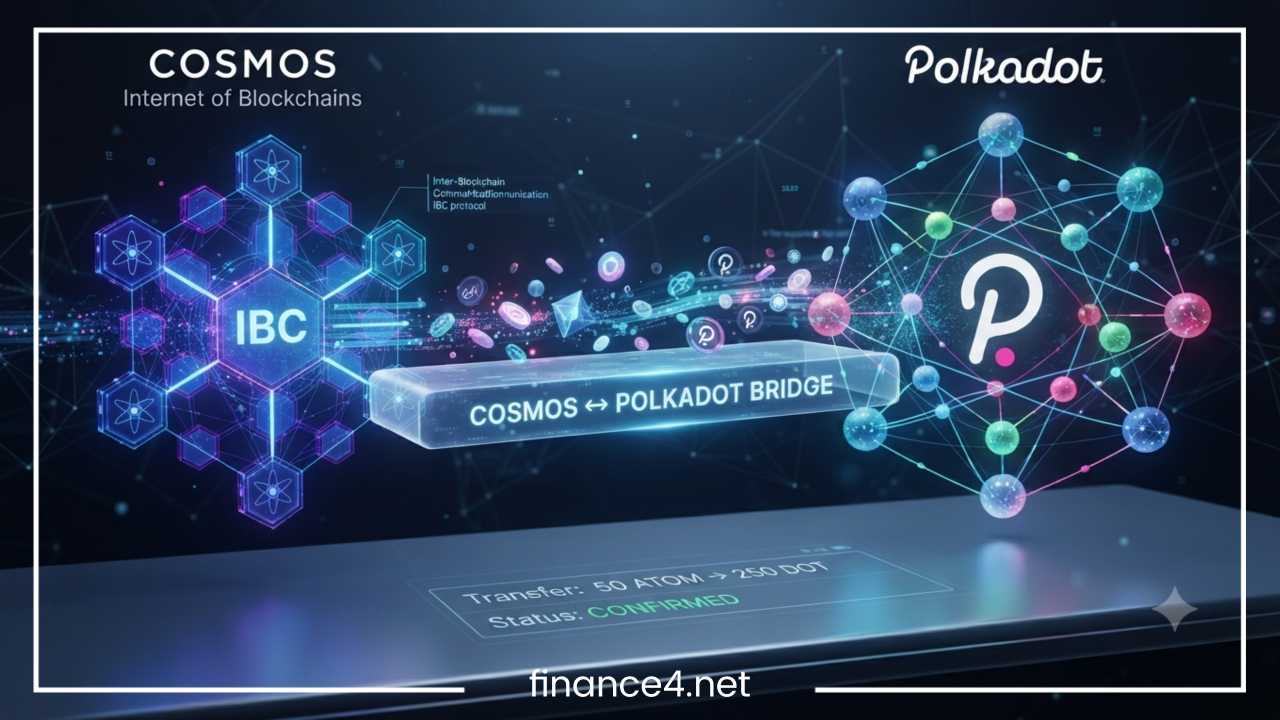
How to Bridge Cosmos to Polkadot Safely & Easily
Interoperability has become the cornerstone of modern Web3 architecture. For years, individual blockchain networks operated in isolation, resembling walled gardens that could not communicate with one another. A user holding assets on one network had to navigate centralized exchanges to trade or interact with decentralized applications on another. Today, the blockchain landscape is evolving toward a multi-chain future where communication and value transfer happen seamlessly across distinct protocols.
At the forefront of this modular and interconnected movement are Cosmos and Polkadot. Both ecosystems were built from the ground up to solve the scalability and fragmentation issues plaguing older blockchains, yet they approached the solution through different architectural designs. Cosmos utilizes independent sovereign chains connected by a custom messaging protocol, while Polkadot employs a shared security model anchored by a central relay chain and specialized parallel chains.
Users frequently find compelling reasons to move assets between these two ecosystems. Whether seeking higher staking yields, unique decentralized finance opportunities, specialized liquidity pools, or advanced governance participation, cross-chain asset transfers unlock new possibilities. However, navigating these networks requires an understanding of how distinct architectures interact, what protocols facilitate the transfer, and how to protect funds from common security pitfalls.
This comprehensive guide explores the fundamentals of both ecosystems, examines the interoperability layer connecting them, outlines a step-by-step bridging procedure, and provides essential safety and troubleshooting tips to ensure secure cross-chain transactions.
What Is Cosmos?
Cosmos is widely recognized in the blockchain industry as the Internet of Blockchains. Rather than forcing all decentralized applications to run on a single congested network, Cosmos provides a framework that allows developers to launch independent, interoperable blockchains tailored to specific use cases.
The foundation of the Cosmos ecosystem relies on three core technological pillars:
-
Cosmos SDK: A modular framework that simplifies the process of building secure, custom blockchain applications on top of Tendermint consensus. Developers can select pre-built modules for governance, token creation, and staking, significantly reducing development time.
-
Tendermint Consensus: A high-performance, Byzantine Fault Tolerant consensus engine that provides instant finality. It ensures that transactions are validated quickly and securely without the risk of blockchain forks.
-
IBC (Inter-Blockchain Communication): A standardized protocol that acts as the TCP/IP of blockchains. IBC enables independent chains to communicate, transfer tokens, and pass arbitrary data trustlessly without relying on centralized intermediaries.
The Cosmos ecosystem features a diverse array of specialized application-specific chains. The Cosmos Hub serves as the economic center and security provider for the network. Osmosis functions as the primary automated market maker and liquidity hub, allowing users to trade IBC-enabled assets efficiently. Injective provides specialized infrastructure for decentralized derivatives and financial markets, while dYdX operates as a high-performance order book exchange. Celestia pioneered modular data availability, separating consensus from execution, and Noble acts as the native issuer for major stablecoins within the network, bringing critical liquidity to the broader Cosmos economy.
What Is Polkadot?
Polkadot is a heterogeneous multi-chain network designed to connect and secure specialized blockchains, facilitating cross-chain transfer of any data or asset type. Created by Dr. Gavin Wood, co-founder of Ethereum, Polkadot scales horizontally by offloading transaction processing to multiple parallel chains while maintaining a unified security model.
The architecture of Polkadot relies on several core components:
-
Relay Chain: The central heart of Polkadot. It is responsible for the network security, consensus, and cross-chain interoperability. All connected chains share the robust security provided by the validators securing the Relay Chain.
-
Parachains: Independent, application-optimized blockchains that run in parallel and connect to the Relay Chain. Parachains benefit from Polkadot shared security, meaning they do not need to bootstrap their own validator sets.
-
DOT Token: The native utility token of the Polkadot network, used for governance, staking, and bonding to secure parachain slots.
-
XCM (Cross-Consensus Messaging): A language that allows different parachains, smart contracts, and pallets to communicate securely with one another within the Polkadot ecosystem.
The Polkadot ecosystem hosts a vibrant array of parachains serving distinct purposes. Asset Hub serves as the system-level chain for managing tokens, assets, and collectibles. Hydration provides advanced decentralized finance and automated market maker features with unified liquidity. Moonbeam brings Ethereum Virtual Machine compatibility, enabling solidity developers to deploy smart contracts. Acala offers decentralized financial applications, stablecoins, and liquidity staking. Bifrost specializes in liquid staking derivatives across multiple blockchains, and Astar supports multi-chain smart contracts bridging Web3 builders across ecosystems.
Why Bridge Cosmos to Polkadot?
Bridging assets between Cosmos and Polkadot opens up a wide array of utilities for cryptocurrency holders and decentralized finance participants. As the multi-chain universe expands, users look beyond single-network limitations to maximize capital efficiency and explore new protocols.
Common motivations for moving assets across these ecosystems include:
-
Accessing Decentralized Finance: Users can move assets to participate in high-yield liquidity pools, lending markets, and automated market makers operating on Polkadot parachains or Cosmos application chains.
-
Staking Opportunities: Different networks offer varying staking rewards. Bridging allows users to reallocate portfolios to capture optimal staking yields across both ecosystems.
-
Liquidity Provision: Providing liquidity to cross-chain trading pairs generates fee revenue and incentive rewards that might not be available on a user native network.
-
Cross-Chain Arbitrage: Traders capitalize on price discrepancies for the same asset traded across different decentralized exchanges in the Cosmos and Polkadot networks.
-
Portfolio Diversification: Spreading holdings across fundamentally different blockchain architectures reduces single-point-of-failure risk.
-
NFT Ecosystems: Collectors bridge assets to access unique NFT marketplaces, cross-chain collectibles, and gaming economies hosted on specialized parachains or Cosmos zones.
-
Governance Participation: Active community members bridge tokens to participate in decentralized governance votes and shape the future development of cross-chain protocols.
Can You Bridge Cosmos Directly to Polkadot?
Moving assets directly from Cosmos to Polkadot is not as simple as executing a standard native transfer within a single network. Because Cosmos relies on the IBC protocol and Polkadot utilizes XCM alongside unique consensus mechanisms, direct native bridging between the two required specialized interoperability layers.
Historically, direct native bridging between disparate Layer-1 architectures was difficult due to differing finality guarantees, signature schemes, and state machine designs. Cosmos chains operate independently with their own validator sets communicating via IBC, while Polkadot parachains validate messages through the central Relay Chain and XCM.
To overcome these architectural differences, advanced generalized interoperability protocols and light-client bridges have emerged:
-
Hyperbridge: A cryptographically secure, interoperability protocol designed to connect disparate consensus environments, enabling verifiable cross-chain communication between ecosystems like Cosmos and Polkadot.
-
Picasso (Composable Finance): A cross-chain communication layer that leverages trust-minimized light clients and IBC implementations to connect Polkadot parachains with Cosmos application chains, allowing assets and data to flow securely.
-
Snowbridge: While primarily focused on trustless bridging between Ethereum and Polkadot, the underlying mechanics highlight the ongoing evolution of general message passing protocols in the Polkadot ecosystem.
Many transfers do not occur through a single direct send transaction. Instead, they rely on decentralized bridge protocols that lock native assets on the source chain and mint representative wrapped tokens or utilize liquidity pools on the destination network. Understanding this distinction helps users evaluate the trust assumptions and technical risks associated with specific transfer methods.
Prerequisites Before Bridging
Before initiating any cross-chain transfer, thorough preparation prevents common errors, lost funds, and frustrating delays. Completing a checklist ensures all required tools and security measures are in place.
Essential preparation steps include:
-
Cosmos-Compatible Wallet: Ensure you have a secure, non-custodial wallet that supports Cosmos-based assets, such as Keplr, Leap, or Cosmostation.
-
Polkadot-Compatible Wallet: Install a trusted Polkadot ecosystem wallet, such as Talisman, SubWallet, or Polkadot{.js}, to manage your receiving addresses and parachain tokens.
-
Native Gas Tokens: Always hold a small amount of the native gas token on both the source chain (for initiating the transfer) and the destination chain (to pay for subsequent transactions or claim bridged assets). Without destination gas, your funds may become temporarily stuck.
-
Small Test Transaction: Never transfer your entire balance on the first attempt. Always execute a small test transfer to verify the end-to-end path before moving substantial amounts.
-
Verify Destination Address: Carefully check that your Polkadot or Cosmos receiving address is correct and compatible with the receiving chain.
-
Backup Recovery Phrase: Ensure your wallet seed phrases are written down securely offline. Never store them digitally or share them with anyone.
-
Stable Internet Connection: Avoid performing blockchain transactions on unsecured public Wi-Fi or unstable mobile networks to prevent dropped requests or signing errors.
Step-by-Step: How to Bridge Cosmos to Polkadot
Executing a cross-chain transfer requires careful attention to detail at every stage. Follow these clear steps to bridge your assets safely.
Step 1: Choose a Trusted Bridge
Selecting a reputable bridge is the most critical decision in the transfer process. Evaluate potential protocols based on specific risk metrics:
-
Audits: Ensure the bridge smart contracts and light client code have undergone rigorous, independent security audits by top-tier firms.
-
Total Value Locked: Higher TVL often indicates market trust, though it also represents a larger target for potential exploits.
-
Reputation & History: Research the team behind the bridge, their track record, and how long the protocol has been operating without incident.
-
Supported Assets: Confirm that the specific token you wish to transfer is fully supported by the bridge liquidity pools or routing paths.
Step 2: Connect Wallets
Navigate to the official, verified website of your chosen bridge protocol. Locate the connect wallet buttons and authorize your Cosmos wallet (such as Keplr) and your Polkadot wallet (such as Talisman or SubWallet). Review the permission prompts carefully to ensure the application only requests standard connection permissions without unauthorized spending approvals.
Step 3: Select Transfer Parameters
Configure the transaction details within the bridge interface:
-
Source Chain: Choose the specific Cosmos chain holding your assets, such as Cosmos Hub, Osmosis, or Noble.
-
Destination Chain: Select the target Polkadot parachain or Asset Hub where you want to receive the tokens.
-
Asset: Choose the exact token you intend to transfer from your available wallet balance.
-
Amount: Input the quantity you wish to move. Remember to leave enough native tokens in your source wallet to cover transaction gas fees.
Step 4: Review Fees
Before confirming, examine the fee breakdown presented by the bridge interface. Cross-chain transfers typically involve:
-
Bridge Fees: Charged by the protocol operators or liquidity providers to facilitate the route.
-
Gas Fees: Network transaction fees required on both the source chain and destination chain.
-
Slippage: Potential price impact if the bridge utilizes automated market maker liquidity pools to swap assets during transit.
Step 5: Approve Transaction
Initiate the transfer by signing the transaction in your source chain wallet. Review the transaction summary one final time, confirming the recipient address, amount, and estimated gas costs before authorizing the signature.
Step 6: Wait for Confirmations
Cross-chain transfers take time to finalize due to the security requirements of distinct consensus mechanisms. Depending on network congestion and the bridge architecture, confirmation times can range from a few minutes to half an hour. Avoid closing the browser tab or refreshing the page while the transaction status reads as pending.
Step 7: Verify Assets
Once the bridge interface indicates success, open your destination Polkadot wallet. Check your balance on the target parachain or use a blockchain explorer to verify that the wrapped or native assets have arrived safely in your account.
Fees You Pay When Bridging
Cross-chain transfers involve multiple layers of cost that compensate validators, liquidity providers, and protocol developers for securing and routing transactions. Understanding these fees prevents unexpected deductions from your transferred balance.
| Fee Type | Description | Where It Applies |
| Network Gas Fee | Cost to execute the transaction and record state changes on the blockchain. | Source Chain and Destination Chain |
| Bridge Fee | Protocol charge for facilitating the cross-chain routing and security verification. | Bridge Protocol |
| Liquidity Fee | Fee paid to liquidity providers when swaps occur across pools during transit. | AMM-based Bridges |
| Destination Gas | Fee reserved or required to pay transaction execution costs on the receiving network. | Target Parachain |
For practical applications, transferring assets from Osmosis to a Polkadot parachain might require paying an Osmosis network gas fee, a protocol bridge percentage, and ensuring you hold enough DOT or parachain gas tokens on the receiving end to move or stake those funds afterward.
Common Risks When Bridging
Interacting with cross-chain bridges introduces unique threat vectors that do not exist when transacting within a single blockchain network. Being aware of these risks helps users adopt defensive habits.
Smart Contract Risk
Bridges rely on complex smart contracts to lock assets on one chain and mint or release them on another. Bugs, logic errors, or vulnerabilities in these contracts can be exploited by malicious actors to drain protocol funds.
Validator and Security Risk
Some bridges depend on a federated set of validators or multi-signature signers to attest to cross-chain events. If a threshold of these validators is compromised or colludes, malicious transactions can be approved.
Fake Bridge Websites
Phishing attacks are prevalent in Web3. Fraudulent actors create exact replicas of popular bridge interfaces using lookalike domain names to steal private keys and seed phrases when users attempt to connect their wallets.
Wrong Destination Chain
Entering an incorrect recipient address format or selecting an incompatible destination chain can result in permanent loss of funds if the transaction routes tokens to an inaccessible account.
Network Congestion
High traffic on either the Cosmos source chain or the Polkadot destination network can cause severe delays, pending transactions, or failed executions due to insufficient gas price settings.
Low Liquidity
If a bridge relies on liquidity pools rather than native minting, attempting to transfer large volumes through a pool with low liquidity can result in high slippage or failed transactions.
Unsupported Tokens
Attempting to bridge custom, obscure, or unrecognized tokens that lack official liquidity routing can cause funds to get stuck in intermediate bridge contracts.
Safety Tips for Cross-Chain Transfers
Implementing rigorous security habits significantly reduces the likelihood of falling victim to exploits, scams, or user error during cross-chain operations.
-
Use Audited Bridges: Stick exclusively to protocols that have completed multiple comprehensive security audits by reputable auditing firms.
-
Verify URLs: Always bookmark official bridge websites or navigate to them through trusted aggregators like CoinGecko or DefiLlama to avoid phishing scams.
-
Start with Small Transfers: Always test a new bridge route with a nominal amount before moving large portions of your portfolio.
-
Double-Check Addresses: Manually verify destination addresses character by character, especially when copying and pasting across different wallet interfaces.
-
Keep Wallets Updated: Ensure your browser extension wallets, firmware, and operating systems are running the latest security patches.
-
Avoid Phishing Links: Never click on sponsored search engine ads or unsolicited direct messages offering bridge support or token airdrops.
-
Confirm Token Support: Check the bridge documentation to verify that the exact token standard you hold is fully supported.
-
Track Transaction Status: Use official block explorers on both the source and destination chains to monitor transaction progress independently of the bridge UI.
-
Never Share Recovery Phrases: Legitimate bridge support staff will never ask for your private key or seed phrase under any circumstances.
Troubleshooting Common Bridge Issues
Even with careful preparation, users occasionally encounter hiccups during cross-chain transfers. Knowing how to diagnose and resolve these issues provides peace of mind.
-
Transaction Pending: If a transaction remains stuck in a pending state, check the source chain explorer to see if it was broadcast successfully. Network congestion often delays block inclusion.
-
Funds Not Appearing: Verify the transaction on the destination chain explorer using your wallet address. If the transaction completed on-chain, ensure your wallet is configured to display the specific token contract or parachain asset ID.
-
Wrong Wallet Connected: Ensure your active wallet account matches the intended sending and receiving addresses. Disconnecting and reconnecting wallets often resolves display sync errors.
-
Insufficient Gas: If a transaction fails or stalls, check whether your wallet ran out of native gas tokens. Top up the wallet with the appropriate gas asset and retry.
-
Bridge Maintenance: Occasionally, bridges pause operations for upgrades or security incidents. Check the official social media channels or Discord servers of the bridge protocol for maintenance announcements.
-
Failed Transactions: If a transaction reverts, check the error log in the block explorer. Reverted transactions typically refund your underlying assets minus the consumed gas fees.
Final Thoughts
Bridging assets between Cosmos and Polkadot opens up powerful opportunities within the broader multi-chain Web3 landscape. Both Cosmos and Polkadot represent major milestones in blockchain interoperability, offering robust architectures designed to connect sovereign networks and specialized parachains efficiently.
Successfully navigating these ecosystems requires choosing secure, reputable bridge protocols, verifying wallet addresses, and understanding the fee structures involved. Adopting safety best practices, such as executing initial test transfers and double-checking protocol URLs, protects funds against common vulnerabilities and phishing scams. As interoperability technology continues to evolve, staying informed about new cross-chain messaging solutions ensures users can safely maximize liquidity, staking yields, and utility across both the Cosmos and Polkadot ecosystems.
Frequently Asked Questions (FAQ)
Can you bridge crypto directly from Cosmos to Polkadot using native IBC?
No, you cannot use native Inter-Blockchain Communication (IBC) directly between Cosmos and Polkadot because they operate on fundamentally different consensus architectures and messaging standards (IBC versus XCM). Moving assets between the two ecosystems requires generalized cross-chain bridge protocols, light-client interoperability layers, or liquidity routing networks that can connect Cosmos app-chains to Polkadot parachains.
What is the safest cross-chain bridge to transfer assets from Cosmos to Polkadot?
The security of a cross-chain bridge depends on its audit history, decentralization model, and total value locked. Users typically look for protocols utilizing trust-minimized light clients rather than centralized multi-signature validators. Always check for multiple independent security audits and research the historical track record of the bridge before transferring funds.
How long does a cross-chain asset transfer take from Cosmos to Polkadot?
Transfer times typically range from five to thirty minutes, depending on network congestion, source chain block finality times, and the verification requirements of the bridging protocol. Cross-chain transfers require finalization on both the source network and the destination parachain before funds become available in your wallet.
Do I need native gas tokens on both networks to bridge crypto?
Yes. To execute a cross-chain transfer, you must pay network gas fees on the source Cosmos chain (such as ATOM or OSMOSIS) to initiate the transaction. Additionally, you should hold native gas tokens on the destination Polkadot parachain (such as DOT) to cover future transaction fees, withdrawals, or staking interactions.
What should I do if my bridged tokens do not appear in my Polkadot wallet?
First, verify the transaction status on-chain using a block explorer for both the source and destination networks. If the transaction shows as successful on the destination chain, ensure that your Polkadot wallet (such as Talisman or SubWallet) is correctly configured and updated to display the specific token contract address or custom asset ID.
How can I avoid phishing scams when looking for a Cosmos to Polkadot bridge?
Never click on sponsored search engine links or unsolicited direct messages offering bridge access or token airdrops. Always navigate to bridge applications through trusted, verified aggregators, bookmark official web domains, and cross-reference protocol URLs with official ecosystem documentation.