How to Set Up a Cross-Chain Wallet
 by
by 
How to Set Up a Cross-Chain Wallet: Your Gateway to a Multi-Blockchain Future
The world of cryptocurrency is rapidly expanding beyond single, isolated blockchains. As new networks emerge, offering unique features, lower fees, or specialized applications, the need to interact seamlessly across these digital frontiers has become paramount. Enter the cross-chain wallet – a powerful tool that is revolutionizing how we manage and utilize our digital assets. This article will guide you through understanding, choosing, and setting up a cross-chain wallet, empowering you to navigate the increasingly interconnected Web3 ecosystem with ease and security.
In the early days of cryptocurrency, each digital asset typically resided on its own dedicated blockchain, requiring users to manage separate wallets for Bitcoin, Ethereum, and other cryptocurrencies. This siloed approach often led to fragmented portfolios, cumbersome management, and limited interoperability. Imagine having a different wallet for every traditional currency you own; it’s inconvenient, to say the least.
What is a Cross-Chain Wallet?
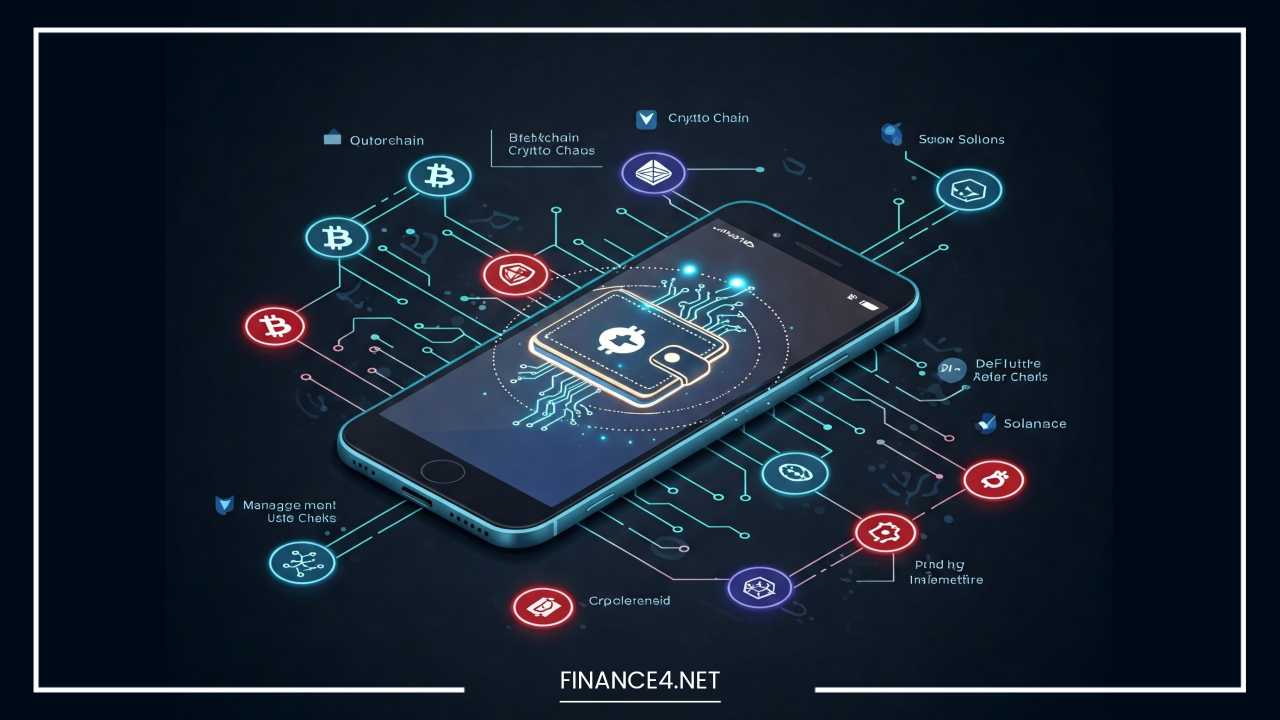
A cross-chain wallet, also known as a multi-chain wallet or interoperable wallet, is a sophisticated cryptocurrency wallet designed to support multiple blockchain networks simultaneously. Unlike traditional single-chain wallets, these advanced solutions allow users to store, manage, send, and receive various cryptocurrencies and tokens across different blockchain platforms from a single, unified interface. They act as a central hub for your diverse digital assets, regardless of the blockchain they reside on.
Why Use a Cross-Chain Wallet?
The advent of cross-chain wallets signifies a major leap forward in user experience and functionality within the crypto space. Here’s why they are becoming an indispensable tool for every crypto enthusiast:
- Convenient Management of Multiple Blockchains: The primary benefit is the ability to oversee all your digital assets in one place. No more switching between numerous wallet applications or browser extensions to access different cryptocurrencies. This streamlines portfolio management significantly.
- Increased Versatility and Accessibility: Cross-chain wallets unlock a broader spectrum of opportunities. You can easily interact with decentralized applications (dApps) on various networks, participate in different DeFi protocols, and explore diverse NFT marketplaces without the hassle of transferring assets through centralized exchanges.
- Reduced Risk of Losing Access to Funds Across Different Chains: While security is always paramount, having a single, well-secured recovery phrase for multiple chains can simplify backup and recovery procedures, potentially reducing the risk of misplacing access credentials for individual chain-specific wallets. It also mitigates the “walled garden” effect, allowing for greater fluidity in asset movement.
Understanding Blockchain and Cryptocurrency
Before diving deeper into cross-chain wallets, a foundational understanding of blockchain technology and cryptocurrency wallets is essential.
What is Blockchain Technology?
At its core, blockchain is a decentralized, distributed ledger technology that records transactions across a network of computers. Each “block” in the chain contains a timestamped set of transactions, and once recorded, these blocks are cryptographically linked, creating an immutable and transparent history. This decentralized nature means there’s no single central authority controlling the network, making it highly secure and resistant to censorship or manipulation.
What is a Cryptocurrency Wallet?
A cryptocurrency wallet isn’t a physical place where your coins are stored; rather, it’s a tool that allows you to interact with the blockchain. Think of it as a digital key holder. Every cryptocurrency wallet contains:
- Private Keys: These are highly sensitive, secret alphanumeric codes that grant you ownership and control over your cryptocurrency. Whoever holds the private key controls the associated funds. It’s crucial to keep your private keys absolutely secure and never share them.
- Public Keys (Wallet Addresses): Derived from your private key, your public key serves as your wallet address. This is what you share with others to receive cryptocurrency. It’s like your bank account number.
When you “send” cryptocurrency, you’re essentially signing a transaction with your private key, authorizing the transfer of funds from your address to another on the blockchain.
Challenges with Single-Chain Wallets
For a long time, the cryptocurrency landscape was dominated by single-chain wallets. These wallets were built to interact with one specific blockchain. For instance:
- An Ethereum wallet could only hold ETH and ERC-20 tokens (tokens built on the Ethereum blockchain).
- A Bitcoin wallet could only hold BTC.
This presented several challenges:
- Limited Interoperability: Moving assets between different blockchains was a complex process, often requiring users to deposit funds into a centralized exchange, swap them, and then withdraw them to another chain’s wallet. This process was time-consuming, incurred additional fees, and introduced counterparty risk.
- Fragmented User Experience: Managing multiple wallets for different assets was cumbersome and prone to errors. Users had to remember various recovery phrases, passwords, and interfaces.
- Missed Opportunities: The inability to easily transfer assets between chains meant users might miss out on arbitrage opportunities, different DeFi yields, or unique dApps available only on specific networks.
Cross-chain wallets were developed to address these limitations, paving the way for a more integrated and user-friendly crypto experience.
How Cross-Chain Wallets Work
The magic of cross-chain wallets lies in their ability to transcend the traditional boundaries of individual blockchains.
The Concept of Cross-Chain Technology
Cross-chain technology allows different blockchain networks to communicate and interact with each other. In the context of wallets, this means a single wallet interface can “understand” and manage assets across various, otherwise independent, blockchains. This is achieved through sophisticated underlying protocols and mechanisms that enable the wallet to interpret and execute transactions on multiple chain architectures.
Key Features of Cross-Chain Wallets
Cross-chain wallets offer a suite of features that enhance their utility:
- Interoperability: This is the defining feature. The wallet can send, receive, and manage assets from a multitude of blockchains, ranging from popular ones like Ethereum and Bitcoin to newer, specialized networks.
- Unified Asset Management: All your supported crypto assets, regardless of their native chain, are displayed and managed within a single, intuitive interface. This provides a holistic view of your portfolio.
- Transaction Fee Management: Cross-chain wallets often allow you to see and manage transaction fees (gas) specific to each blockchain, helping you optimize costs. Some may even suggest the most cost-effective network for a particular transaction.
- Ease of Use: While the underlying technology is complex, good cross-chain wallets prioritize user-friendliness, abstracting away much of the technical complexity.
Cross-Chain Bridges and Atomic Swaps
Two fundamental technologies enable asset transfer between different blockchains, often facilitated or integrated within cross-chain wallets:
- Cross-Chain Bridges: A blockchain bridge is a protocol that connects two disparate blockchain networks, enabling the transfer of assets and data between them. Imagine a bridge connecting two islands (blockchains). When you want to move an asset from Island A to Island B, you “lock” the asset on Island A’s side of the bridge, and an equivalent “wrapped” version of that asset is “minted” on Island B. When you want to move it back, the wrapped asset is “burned” on Island B, and the original asset is “unlocked” on Island A. This process allows value to flow between otherwise incompatible chains. Examples include Wrapped Bitcoin (WBTC) on Ethereum, which is Bitcoin locked on the Bitcoin blockchain and represented as an ERC-20 token on Ethereum.
- Atomic Swaps: An atomic swap is a peer-to-peer exchange of cryptocurrencies between two different blockchains without the need for a centralized intermediary. The term “atomic” refers to the “all-or-nothing” nature of the transaction; either both sides of the swap complete successfully, or neither does. This is typically achieved using Hash Time-Locked Contracts (HTLCs), which ensure that if one party doesn’t complete their side of the trade within a specified timeframe, the funds are automatically returned to their original owner. Atomic swaps are more decentralized and trustless than bridges but can be more complex to execute manually and are often limited to specific cryptocurrency pairs.
Many cross-chain wallets now integrate with or provide direct access to these bridging and swapping functionalities, making the process of moving assets between chains significantly simpler.
Types of Cross-Chain Wallets
Cross-chain wallets come in various forms, each with its own advantages and drawbacks. Choosing the right type depends on your priorities regarding security, convenience, and functionality.
Software Wallets (Hot Wallets)
Software wallets are applications installed on your computer, smartphone, or as a browser extension. They are often referred to as “hot wallets” because they are connected to the internet, offering convenience for frequent transactions.
- Examples:
- MetaMask: One of the most popular browser extension wallets, primarily known for its Ethereum and EVM-compatible chain support (e.g., Polygon, BNB Smart Chain, Arbitrum, Optimism). It allows users to easily add custom networks.
- Trust Wallet: A widely used mobile wallet (available on iOS and Android) that supports a vast array of cryptocurrencies and blockchains. It also offers a built-in dApp browser for easy interaction with decentralized applications.
- Coinbase Wallet: A non-custodial wallet (distinct from the Coinbase exchange) that supports a wide range of assets across multiple EVM-compatible chains and even some non-EVM chains like Solana.
- Advantages:
- Convenience: Easy to set up and use for everyday transactions and dApp interactions.
- Accessibility: Accessible from multiple devices (desktop, mobile).
- User-friendly Interfaces: Often designed with intuitive interfaces, making them suitable for beginners.
- Drawbacks:
- Security Risk (Online Exposure): Because they are connected to the internet, they are more susceptible to hacking attempts, malware, and phishing attacks if your device is compromised.
- Private Key Management: While non-custodial, users are responsible for safeguarding their recovery phrase/private keys.
Hardware Wallets (Cold Wallets)
Hardware wallets are physical electronic devices designed to store your private keys offline, making them the most secure option for storing cryptocurrencies. They are often called “cold wallets” due to their air-gapped nature. While traditionally supporting a more limited set of assets, modern hardware wallets offer increasing cross-chain capabilities.
- Examples:
- Ledger: A leading brand offering devices like Ledger Nano S Plus and Ledger Nano X, which support a wide range of cryptocurrencies and interact with various blockchain networks through Ledger Live software. Ledger is actively integrating with cross-chain swap protocols like Li.Fi to facilitate secure cross-chain transactions directly through their interface.
- Trezor: Another prominent hardware wallet manufacturer (e.g., Trezor Model One, Trezor Model T) that provides robust security for numerous cryptocurrencies and also integrates with their Trezor Suite software to manage assets across different chains, including EVM-compatible networks.
- Pros of Security:
- Offline Private Key Storage: Private keys are stored on the device itself and never exposed to the internet, significantly reducing the risk of online theft.
- Physical Confirmation: Transactions typically require physical confirmation on the device, preventing unauthorized transfers even if your computer is compromised.
- Immune to Malware: Since they are not general-purpose computers, they are much less vulnerable to viruses and malware.
- Cons:
- Less Convenient for Frequent Transactions: Requires connecting the physical device for every transaction.
- Cost: Hardware wallets require an upfront investment.
- Learning Curve: May have a slightly steeper learning curve compared to software wallets.
Web-Based Wallets and Mobile Wallets
While often categorized under software wallets, it’s worth distinguishing web-based (browser-accessed) and mobile wallets due to their specific use cases:
- Web-Based Wallets: Accessed directly through a web browser, these can sometimes be custodial (where a third party holds your keys) or non-custodial (like MetaMask browser extension). Non-custodial web-based wallets offer convenience but share the security considerations of other hot wallets.
- Mobile Wallets: Applications designed specifically for smartphones (e.g., Trust Wallet, Rainbow, Zerion). They offer immense convenience for on-the-go management and interaction with mobile dApps. Many modern mobile wallets are designed with multi-chain support and integrate features like in-app swaps and NFT management across various networks.
The choice of wallet type depends on your risk tolerance and how actively you plan to interact with different blockchains. For large holdings, a hardware wallet is highly recommended. For everyday use and dApp interaction, a well-secured software wallet is usually sufficient.
Step-by-Step Guide: How to Set Up a Cross-Chain Wallet
Setting up a cross-chain wallet is a straightforward process, though the exact steps may vary slightly depending on the wallet you choose. We’ll use popular examples like MetaMask and Trust Wallet as a general guide.
Step 1: Choose the Right Wallet
Before you begin, consider your needs. Do you prioritize mobile access, browser integration, or maximum security?
- MetaMask: Excellent for interacting with Ethereum and EVM-compatible blockchains via browser extensions. It’s a go-to for DeFi and NFT enthusiasts on these networks.
- Trust Wallet: A strong contender for mobile users, offering broad multi-chain support and an integrated dApp browser.
- Ledger/Trezor: If security is your top concern for significant holdings, a hardware wallet is the best choice. You’ll typically use their companion software (Ledger Live, Trezor Suite) which acts as a multi-chain interface for your hardware-secured assets.
For this guide, we will focus on setting up a software wallet as it’s the most common entry point for cross-chain interactions.
Step 2: Download or Install the Wallet
For Browser Extension Wallets (e.g., MetaMask):
- Go to the official website (e.g.,
metamask.io). - Click on the “Download” or “Install” button.
- Select your preferred browser (Chrome, Firefox, Edge, Brave, Opera) and follow the prompts to add the extension.
- Once installed, the MetaMask fox icon will appear in your browser’s toolbar.
For Mobile Wallets (e.g., Trust Wallet):
- Open your smartphone’s app store (Google Play Store for Android, Apple App Store for iOS).
- Search for “Trust Wallet” (or your chosen wallet).
- Ensure it’s the official app from the legitimate developer (look for the developer name: “Trust Wallet” by DApp Airdrop Inc. or similar official branding).
- Tap “Install” or “Get” and wait for the download to complete.
Step 3: Create a New Wallet
This is the most critical step for security.
- Open the Wallet: Launch the MetaMask extension or Trust Wallet app.
- “Create a New Wallet”: Select this option. If you already have a wallet and want to import it, you would choose “Import Wallet” and use your recovery phrase.
- Agree to Terms and Conditions: Read and accept any privacy policies or terms of service.
- Create a Password: Set a strong, unique password for your wallet. This password encrypts your local wallet data and is used to unlock the application. It does not recover your funds if you lose your device.
- Secure Your Recovery Phrase (Seed Phrase/Mnemonic Phrase): This is the most crucial part. The wallet will present you with a 12 or 24-word recovery phrase.
- Write it down: NEVER store this digitally (e.g., in a screenshot, on your computer, or in an email). Write it down accurately, in the correct order, on a piece of paper.
- Make multiple copies: Store these copies in separate, secure, and private locations (e.g., a home safe, a safety deposit box).
- Do not share: Anyone with this phrase can access your funds.
- Verify Your Recovery Phrase: The wallet will ask you to confirm your recovery phrase by entering a few words in a specific order. This ensures you’ve written it down correctly.
- Complete Setup: Once verified, your wallet is created and ready to use.
Step 4: Add Multiple Blockchains
Most cross-chain wallets will automatically be configured for at least one major blockchain (e.g., Ethereum Mainnet for MetaMask). To unlock cross-chain capabilities, you’ll need to add other networks.
For MetaMask (and similar EVM-compatible wallets):
- Open MetaMask: Click the MetaMask icon in your browser.
- Network Dropdown: At the top of the wallet interface, you’ll see the current network (e.g., “Ethereum Mainnet”). Click on it to open the network dropdown.
- “Add Network”: Select this option.
- Choose from Pre-listed Networks: Many popular EVM-compatible networks (e.g., BNB Smart Chain, Polygon, Avalanche C-Chain, Arbitrum, Optimism) are often pre-listed. You can simply click “Add” and then “Approve” to add them. MetaMask will automatically fill in the necessary details (RPC URL, Chain ID, Symbol, Block Explorer URL).
- “Add a Network Manually” (for custom or less common chains): If a network isn’t listed, you’ll need its specific details. You can usually find these on the official documentation of the blockchain or through a quick web search (e.g., “Polygon RPC details for MetaMask”). You’ll need to enter:
- Network Name (e.g., Polygon Mainnet)
- New RPC URL (e.g.,
https://polygon-rpc.com/) - Chain ID (e.g., 137)
- Currency Symbol (e.g., MATIC)
- Block Explorer URL (e.g.,
https://polygonscan.com/) - Click “Save.”
- Switch Networks: Once added, you can easily switch between networks using the network dropdown.
For Trust Wallet (and similar mobile wallets): Trust Wallet often has many networks pre-loaded. When you create a new wallet, it typically sets up addresses for multiple popular chains automatically.
- Open Trust Wallet:
- Discover/Tokens Section: Navigate to the main wallet screen where your assets are listed. You’ll usually see a diverse range of tokens and their respective blockchain addresses. Trust Wallet natively supports dozens of blockchains, and new ones are often added with updates.
- Adding Custom Tokens: If you have a specific token that isn’t showing, you can often add it by searching for its contract address on the relevant blockchain explorer and then selecting “Add Custom Token” in your wallet, pasting the address, and filling in the details.
Step 5: Fund Your Wallet
Now that your cross-chain wallet is set up, you’ll want to fund it.
- Direct Deposits: For tokens native to a specific chain, you can simply send them directly to your wallet address for that chain. For example, to send BNB to your Trust Wallet, select BNB in Trust Wallet, tap “Receive,” copy the address, and send BNB from an exchange or another wallet to that address. Ensure you are sending it on the correct network (e.g., BEP-20 for BNB Smart Chain).
- Using Cross-Chain Bridges: If you have assets on one chain and want to use them on another (e.g., ETH on Ethereum and you want Wrapped ETH on Polygon), you’ll use a cross-chain bridge.
- Identify a reputable bridge: Research and choose a well-established cross-chain bridge protocol that supports the two networks and assets you wish to transfer (e.g., Polygon Bridge, Arbitrum Bridge, or a bridge aggregator like Li.Fi).
- Connect your wallet: Connect your cross-chain wallet to the bridge’s dApp.
- Select assets and networks: Choose the source network and asset, and the destination network and asset.
- Initiate transfer: Follow the bridge’s instructions to deposit your assets on the source chain. The bridge will then facilitate the minting of wrapped assets on the destination chain. Be aware of fees and potential waiting times.
- Atomic Swaps (less common for direct user initiation): While the technology exists, direct atomic swaps are less commonly initiated by average users through their wallets compared to using bridges or integrated swap features within wallets. However, some decentralized exchanges (DEXs) or wallet features might leverage atomic swap technology under the hood.
Crucial Tip: Always double-check the network you are sending funds to and the wallet address. Sending funds to the wrong network or address can result in irreversible loss. Start with a small test transaction if you’re unsure.
Step 6: Managing Cross-Chain Assets
With funds in your wallet, you can now manage your assets across different blockchains.
- Viewing Assets: Your cross-chain wallet will typically display all your supported assets from various networks on its main interface. You can switch between networks (in MetaMask, for example) to see specific balances for each chain.
- Sending Assets:
- Select the asset you wish to send.
- Ensure you are on the correct network for that asset.
- Click “Send.”
- Enter the recipient’s wallet address.
- Enter the amount.
- Review the transaction details, including gas fees.
- Confirm the transaction.
- Receiving Assets:
- Select the asset you wish to receive.
- Ensure you are on the correct network for that asset.
- Click “Receive.”
- Copy your wallet address for that specific network.
- Share this address with the sender. Always confirm the network with the sender.
Cross-chain wallets often integrate “swap” functionalities, allowing you to exchange one cryptocurrency for another, sometimes even across different chains, within the wallet itself by leveraging underlying DEXs or bridge protocols.
Security Considerations for Cross-Chain Wallets
While cross-chain wallets offer unparalleled convenience, their multi-faceted nature also introduces specific security considerations. Protecting your assets requires diligence.
Private Key Security
This is the cornerstone of cryptocurrency security. Your private keys grant access to your funds.
- Safeguard your Recovery Phrase: The recovery phrase (seed phrase) is the human-readable representation of your private keys. Treat it like the master key to all your crypto. Store it offline, in multiple secure locations, and never share it with anyone. If someone gains access to your recovery phrase, they gain complete control over all your assets in that wallet.
- Offline Storage: Never store your recovery phrase on any internet-connected device, in cloud storage, or in photos. Physical, written copies are best. Consider using metal seed phrase backups for extreme durability.
Two-Factor Authentication (2FA)
While not all non-custodial wallets directly support 2FA for transactions (as your private key is the ultimate authenticator), many wallets or associated platforms (like exchanges where you might buy crypto) offer 2FA as an additional layer of security for logging in or making withdrawals.
- Enable App-Based 2FA: Use authenticator apps (e.g., Google Authenticator, Authy) for any crypto-related accounts (exchanges, dApps that support it). Avoid SMS-based 2FA as it’s more vulnerable to SIM-swap attacks.
Backup and Recovery
A robust backup strategy is critical.
- Regular Backups: While your initial recovery phrase is a permanent backup, ensure you have multiple copies stored securely.
- Test Recovery: Periodically, you might consider performing a “dry run” recovery on a new device or a temporary wallet to ensure your recovery phrase is correct and legible. Do this with a small, test amount of crypto, or simply to ensure you can open the wallet, and then reset the temporary wallet.
- Device Loss/Damage: If your device is lost, stolen, or damaged, your recovery phrase is your only way to restore access to your funds on a new device.
Phishing and Scams
The crypto space is rife with scams. Be vigilant.
- Verify URLs: Always double-check that you are on the legitimate website of a wallet, exchange, or dApp. Phishing sites often mimic official ones with slight misspellings or different domains. Bookmark official sites.
- Beware of Impersonation: Scammers frequently impersonate support staff, project teams, or even friends on social media. They might ask for your recovery phrase, private keys, or to click suspicious links. Legitimate entities will NEVER ask for your private keys or recovery phrase.
- Suspicious Links/Emails: Do not click on suspicious links in emails, social media, or unsolicited messages. They often lead to phishing sites designed to steal your credentials.
- Connect with Caution: When connecting your wallet to a dApp, always verify the dApp’s legitimacy and the permissions it’s requesting. Only approve necessary permissions. Disconnect your wallet from dApps when not actively using them.
- Educate Yourself: Stay informed about common crypto scams and security best practices.
By following these security measures, you can significantly reduce the risk of losing your digital assets.
Troubleshooting and Common Issues
Even with careful setup, you might encounter issues with cross-chain wallets. Here are some common problems and their potential solutions:
Transaction Delays and Failures
- Network Congestion: Blockchains can experience high traffic, leading to delayed or failed transactions. This is particularly common on Ethereum during peak times, resulting in higher gas fees.
- Solution: Increase the gas fee (for Ethereum and EVM chains) or wait for network congestion to subside. Check block explorers (e.g., Etherscan, Polygonscan) to see network activity and average gas prices.
- Insufficient Gas/Network Fees: Transactions require a small amount of the native token of the blockchain to cover transaction fees (gas). If you don’t have enough, the transaction will fail.
- Solution: Ensure you have enough of the native token (e.g., ETH for Ethereum, BNB for BNB Smart Chain, MATIC for Polygon) in your wallet on the specific network you are transacting on.
- Incorrect Wallet Address/Network: Sending funds to a non-existent address or the wrong network is a common mistake.
- Solution: Double-check every character of the recipient address and confirm the correct network before sending. Unfortunately, transactions on blockchains are irreversible. Some assets on EVM-compatible chains may be recoverable if sent to the wrong EVM chain address if the private key for that address on the receiving chain is also controlled by you.
Cross-Chain Compatibility Issues
- Token Not Showing: You’ve sent a token, but it’s not appearing in your wallet.
- Solution:
- Check the correct network: Ensure you are viewing the correct blockchain within your wallet (e.g., if you sent a BNB Smart Chain token, make sure your wallet is set to BNB Smart Chain).
- Add Custom Token: The token might not be automatically recognized by your wallet. You’ll need its contract address. Find the contract address on the respective blockchain explorer (e.g., BSCScan for BEP-20 tokens). Then, in your wallet, use the “Import Token” or “Add Custom Token” feature and paste the contract address.
- Solution:
- Bridge Issues: Assets get stuck or delayed when using a cross-chain bridge.
- Solution:
- Check Bridge Status: Visit the official website or social media channels of the bridge protocol for any announcements regarding maintenance or delays.
- Refer to Bridge Documentation: Most bridges have comprehensive guides and FAQs for troubleshooting.
- Contact Bridge Support: If issues persist, reach out to the bridge’s support team.
- Transaction Hash: Always keep the transaction hash (TxID) for any bridge transaction, as it’s crucial for tracking and support.
- Solution:
How to Recover Lost Wallets or Assets
- Lost Device: If you lose your phone or computer, your funds are not on the device. They are on the blockchain, and your recovery phrase gives you access.
- Solution: Install your chosen wallet software on a new device and select the “Import Wallet” or “Restore Wallet” option. Enter your recovery phrase carefully.
- Lost Recovery Phrase: This is the most serious issue. If you lose your recovery phrase and do not have a backup, your funds are permanently inaccessible.
- Solution: There is no solution if your recovery phrase is truly lost and you have no other means of access (e.g., an active, unlocked wallet on another device). This underscores the absolute importance of securing your recovery phrase.
- Assets Sent to Wrong Address/Network: As mentioned, blockchain transactions are generally irreversible.
- Solution: If you sent assets to an incorrect address on a compatible network (e.g., sending an ERC-20 token to a BNB Smart Chain address, as both share the same address format), you might be able to access those funds by switching your wallet to the correct network and adding the token. However, if sent to a completely incompatible network or a non-existent address, recovery is highly unlikely. Always “send small” as a test first for significant transfers.
Future of Cross-Chain Wallets
The evolution of cross-chain wallets is intrinsically linked to the broader development of the blockchain space. As the multi-chain future becomes increasingly evident, these wallets will continue to innovate and adapt.
Innovation in Cross-Chain Technology
The demand for seamless interoperability is driving continuous innovation in cross-chain solutions.
- More Efficient Bridges: Next-generation bridges are focusing on improved security, lower fees, faster transaction times, and greater decentralization to mitigate the risks associated with current bridging solutions.
- Native Cross-Chain Protocols: Instead of relying on external bridges, some newer blockchain protocols are being designed with native cross-chain communication capabilities built into their core architecture.
- Account Abstraction: This emerging concept aims to make blockchain accounts more user-friendly and programmable, potentially allowing for complex multi-chain transactions and interactions with minimal user input, akin to traditional web experiences.
Emerging Trends
Cross-chain wallets are poised to play a central role in several burgeoning trends:
- Integration with DeFi: As decentralized finance (DeFi) continues to mature, cross-chain wallets will enable users to easily move assets between different DeFi protocols on various chains, optimizing for yield, liquidity, or specific financial products.
- NFT Management: The rise of NFTs on multiple blockchains necessitates cross-chain wallet support to view, manage, and transfer NFTs across different ecosystems, such as moving an NFT from Ethereum to a Layer 2 solution or another chain.
- Gaming and Metaverse Integration: As blockchain-based games and metaverse platforms expand across different networks, cross-chain wallets will be crucial for managing in-game assets, virtual land, and digital identities across these interconnected virtual worlds.
- Enhanced User Experience: Wallets will increasingly abstract away the complexities of blockchain networks, making the multi-chain experience feel as smooth as navigating a single website. This includes automated RPC configuration, integrated bridging, and simplified gas fee management.
The Role of Cross-Chain Wallets in the Future of Crypto
Cross-chain wallets are not just a convenience; they are a fundamental building block for the widespread adoption and utilization of blockchain technology. They are breaking down the silos between blockchains, fostering a more interconnected, liquid, and user-friendly ecosystem. By simplifying the management of diverse digital assets and enabling seamless interaction across networks, cross-chain wallets are essential for realizing the full potential of Web3, making decentralized finance, gaming, and digital ownership accessible to a much broader audience. They are the gateway to a truly interoperable and expansive blockchain future.
Final Thoughts
The journey into the world of cryptocurrency can seem daunting, but cross-chain wallets are simplifying the experience, connecting previously isolated digital realms. By providing a unified interface for managing assets across multiple blockchains, they offer unparalleled convenience, versatility, and enhanced security for your digital holdings.
Understanding what a cross-chain wallet is, how it leverages technologies like bridges and atomic swaps, and the various types available is the first step. The step-by-step guide provided here, from choosing the right wallet to funding and managing your assets, empowers you to take control of your multi-chain portfolio. Always prioritize security by safeguarding your private keys and recovery phrase, enabling 2FA, and being vigilant against phishing scams. While challenges like transaction delays or compatibility issues may arise, armed with troubleshooting knowledge, you can navigate them effectively.
The future of cryptocurrency is undoubtedly multi-chain, and cross-chain wallets are at the forefront of this evolution. As innovation continues to drive more seamless and integrated experiences, these wallets will become even more indispensable. Don’t limit your crypto journey to a single chain; embrace the interconnectedness. Take the leap, set up your cross-chain wallet today, and unlock the vast opportunities that the multi-blockchain universe has to offer.